
10 Best Employee Monitoring Software: A Complete Buyer’s Shortlist

Choosing employee monitoring software is about more than finding the platform with the most tracking features. You need to know what data you actually need, how much monitoring your team requires, and whether the software fits your budget and workflow.
Some businesses only need time tracking and productivity reports. Others need screenshots, app and website monitoring, project tracking, workforce analytics, or insider-risk controls. The right choice depends on your team size, monitoring goals, and the level of visibility you need.
Pricing also matters. A low starting price may come with limits on users, features, data history, or monitoring depth. Before choosing a platform, it’s important to compare what each plan includes and what you may need to pay extra for.
In this guide, we’ll compare the 10 best employee monitoring software based on features, pricing, monitoring capabilities, and use cases. Whether you manage a remote team, agency, BPO, or growing business, this shortlist will help you identify the options worth considering.
Quick Overview
For businesses looking for employee monitoring software, Apploye is the perfect fit. It combines employee monitoring with time tracking, projects, and productivity management.
Its Starter plan is free for up to 10 users and includes time tracking, screenshots, app and URL tracking, activity analytics, timesheets, projects, and attendance tools.
For advanced features, Apploye’s Elite plan starts at $4.50 per user/month with annual billing. It includes expanded monitoring, integrations, custom reports, client invoicing, and payroll.
Other tools on this list, including Desklog, Hubstaff, Time Doctor, Teramind, ActivTrak, DeskTime, Insightful, Kickidler, and Veriato, take different approaches to employee monitoring. Some focus more on time tracking and productivity, while others offer deeper workforce analytics, security controls, or activity monitoring.
Best Employee Monitoring Software at a Glance
|
Software |
Starting Price |
Free Option |
Screenshots |
Best For |
|
Apploye |
$4.50/user/mo |
Up to 10 users forever |
Yes |
Monitoring, Time-Tracking, All-in-One Dashboard |
|
Hubstaff |
$4.99/user/mo |
Trial |
Yes |
Workforce management |
|
Desklog |
Free |
Up to 3 users |
Paid tiers |
Time and project tracking |
|
Time Doctor |
$6.67/user/mo |
Trial |
Yes |
Productivity monitoring |
|
Teramind |
$14/user/mo |
Trial |
Yes |
Advanced monitoring and security |
|
ActivTrak |
$10/worker/mo |
Up to 3 users |
Add-on |
Workforce analytics |
|
DeskTime |
$6.42/user/mo |
Trial |
Premium |
Automatic time tracking |
|
Insightful |
$8/seat/mo |
— |
Add-on |
Workforce analytics |
|
Kickidler |
$5.50/user/mo |
Trial |
Yes |
Visual employee monitoring |
|
Veriato |
$18/user/mo |
Trial |
Yes |
User activity and insider risk |
Prices are based on current vendor-listed rates and may vary by billing period, minimum seat count, plan, or add-ons.
1. Apploye: Best for Monitoring, Time-Tracking, All-in-One Dashboard
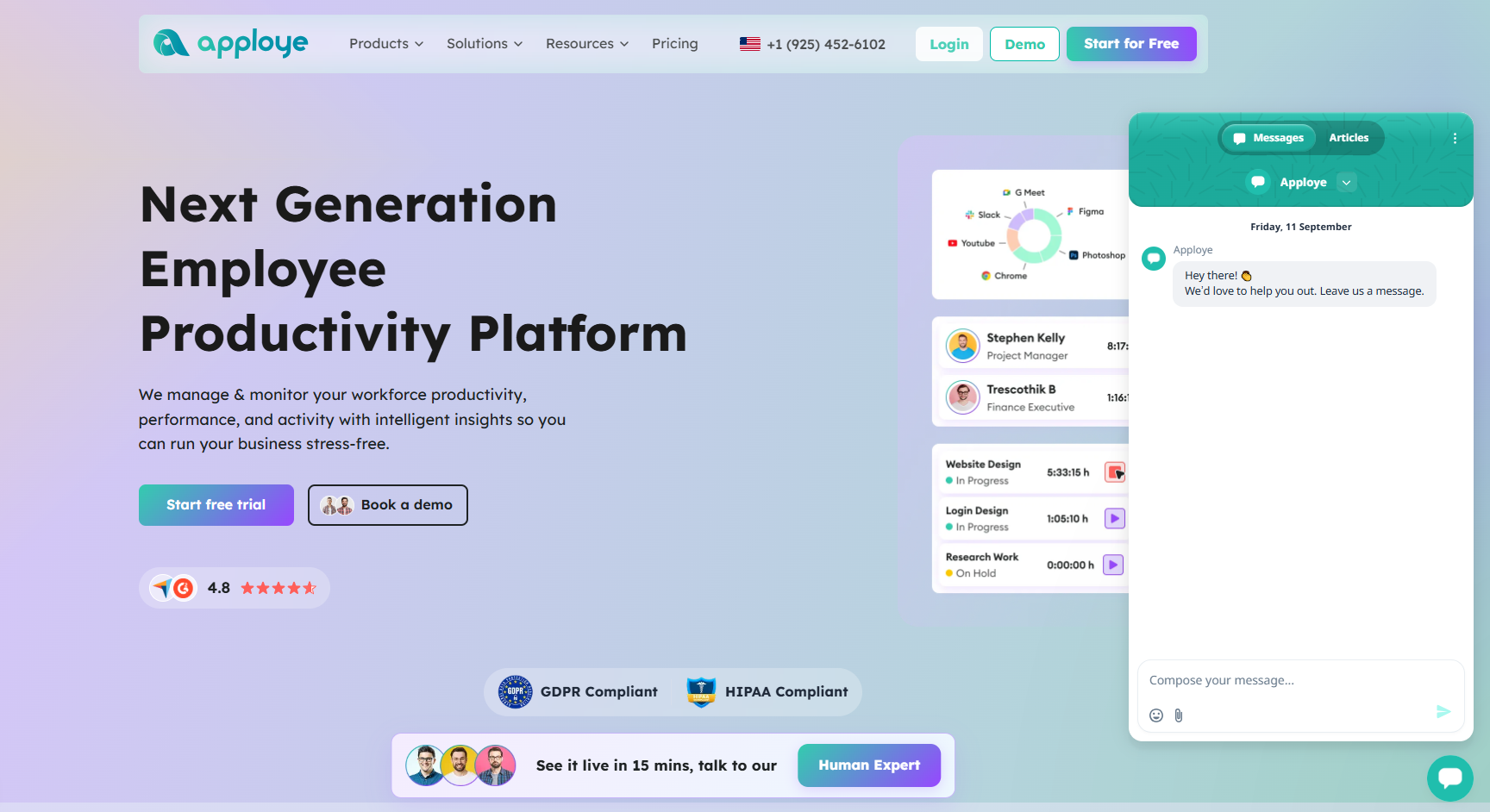
Apploye is the best fit for teams that want monitoring, time tracking, and reporting in one dashboard. It combines employee monitoring with time tracking, task management, timesheets, reporting, invoicing, and payroll. That makes it useful for businesses that need more than basic visibility into activity.
Its monitoring features include screenshots, app usage tracking, URL tracking, activity analytics, and real-time active views. Managers can also connect tracked time to projects and tasks, so reports stay useful for both team reviews and client billing.
Each client gets its own project, budget, and timesheet, and Elite plan users can invoice directly from tracked hours. Its employee social media monitoring software shows time spent on sites like Facebook or YouTube, not the content of posts, so teams can spot distractions early.
Setup is quick, and the dashboard is easy to learn. Apps cover Windows, Mac, Linux, Android, and iOS, with offline tracking that syncs later. The Starter plan is free for up to 10 users, and paid plans start at $4.50 per user per month, billed annually.
Teams should explain what is tracked before rollout. Clear policies help monitoring feel fair and keep team trust intact. Apploye works best when that transparency comes first.
Key features
- Screenshot monitoring
- App and URL tracking
- Activity analytics
- Real-time active view
- Automatic time tracking
- Timesheets and approvals
- Projects and tasks
- Client invoicing
- Payroll
- Custom reports
- Integrations
Pricing
- The Starter Plan is free for up to 10 users. It includes time tracking, attendance, screenshots, app and URL tracking, activity analytics, timesheets, and up to three projects, with usage limits on some monitoring features.
- The Elite Plan starts at $4.50 per user per month, billed annually. It adds integrations, custom reports, unlimited tasks, client invoicing, payroll, and additional monitoring capabilities.
- The Power Plan costs $8 per/user/month, billed annually. This includes all features from Elites plus real-time instant screenshots, AI report analysis, and an AI chatbot.
- The Enterprise Plan is customizable. If you need it, you can make it as you want.
The Best Sides of Apploye
- Easy to use. The dashboard is clean, setup is quick, and most teams can get started the same day.
- Built for consultants. As time tracking software for consultants, Apploye gives each client its own project, budget, and timesheet, so billable hours stay clear and easy to explain.
- Low price. Apploye is free for up to 10 people forever with all basic features. And the paid plans are much more affordable than the same-class top tools.
- All-in-one. It covers time tracking, timesheets, screenshots, app and website usage, attendance, project budgets, scheduling, and client invoicing in one place.
- Good for distributed teams. Apploye has offline tracking that syncs later, apps for Windows, Mac, Linux, Android, and iOS, and integrations with Asana, ClickUp, Trello, and Jira.
- Helpful reporting. Reports are clear enough for billing clients, checking project hours, and running team reviews.
- Good support. Users appreciate the responsive customer support, which makes onboarding straightforward.
The Limitations
- Advanced features cost more. Real-time screenshots and API access are on higher plans, and SSO is Enterprise-only. Its AI features are also not available yet.
- Activity tracking needs care. Screenshots and app tracking can feel intrusive if you roll them out without explaining them. Teams that value a trust-based culture should set clear, transparent policies first.
Best for: Businesses that want employee monitoring connected to time tracking, projects, reporting, and billing in one dashboard.
2. Hubstaff: Best for Workforce Management
Hubstaff combines employee time tracking with productivity monitoring and workforce management.
Its Starter plan includes time and activity tracking, automated timesheets, and productivity tools. Higher plans add app and URL tracking, advanced reporting, scheduling, attendance, payments, and integrations.
The Starter plan costs $4.99 per user per month when billed annually. Hubstaff also has a minimum seat requirement, so the actual starting cost can be higher for very small teams. Grow costs $7.50 per user per month, while Team costs $10 per user per month annually. Enterprise pricing is custom.
Hubstaff also offers a 14-day trial, allowing you to test the platform before choosing a paid plan.
3. Desklog: Best for Automated Time and Project Tracking
Desklog focuses on automatic time tracking, project management, productivity, and workforce visibility.
Its free plan supports up to three users and includes advanced time tracking, unlimited projects, automated timesheets, project tracking, and efficiency tracking.
Paid plans add features such as project billing, invoices, real-time dashboards, advanced efficiency tracking, and scheduled reports. Its Enterprise plan adds app and URL tracking, leave management, geolocation, and integrations with Jira and ClickUp.
The Business plan starts at $3.50 per user per month, while the Enterprise plan starts at $4.80 per user per month on an annual billing cycle.
4. Time Doctor: Best for Productivity Monitoring
Time Doctor focuses on time tracking and detailed visibility into productivity for remote and hybrid teams.
Its Basic plan starts at $6.67 per user per month when billed annually. It includes automatic tracking, projects and tasks, timeline reports, screenshots, online and offline tracking, and team management.
The Standard plan costs $11.67 per user per month annually. It adds schedules, attendance, time approvals, activity summaries, web and app usage reports, productivity ratings, leave tracking, payroll, and work-life balance metrics.
Time Doctor also offers a 14-day trial before a subscription is required.
5. Teramind: Best for Advanced Monitoring and Security
Teramind goes deeper into employee activity monitoring than many general time-tracking platforms.
Its Starter plan includes real-time activity tracking, screen recording, app and website monitoring, and basic dashboards. UAM adds deeper activity telemetry, behavior rules, user behavior analytics, and forensic capabilities.
Teramind’s Starter plan starts at $14 per user per month, with a five-seat minimum for paid plans. UAM costs $28 per user per month, while DLP costs $32 per user per month. A five-seat minimum applies to paid plans.
Its DLP tier adds controls to detect and prevent data loss, including content-based rules and automated blocking.
6. ActivTrak: Best for Workforce Analytics
ActivTrak takes a more analytics-focused approach to employee monitoring.
Instead of relying mainly on screenshots, it emphasizes activity summaries, productivity trends, automatic time tracking, workforce utilization, workload, and capacity planning.
Its current pricing starts with a free plan for up to three people. Work Activity Tracking costs $10 per worker per month, Workforce Management costs $15 per worker per month, and Productivity Optimization costs $17 per worker per month.
Because ActivTrak’s packages differ by feature set, buyers should check the current plan details before purchasing.
7. DeskTime: Best for Automatic Time Tracking
DeskTime is built around automatic time tracking and productivity management.
Its Pro plan costs $6.42 per user per month when billed annually. It includes automatic time tracking, document title tracking, productivity calculations, and calendar integrations.
The Premium plan costs $9.17 per user per month annually and adds screenshots, integrations, API access, and shift scheduling. Enterprise pricing is custom. DeskTime also offers a 14-day free trial.
8. Insightful: Best for Workforce Intelligence
Insightful is positioned around workforce analytics and work intelligence rather than basic employee monitoring alone.
Its Workforce Analytics plan costs $8 per seat per month when billed annually. It includes a real-time overview, capacity analysis, app and website usage, and screenshots.
The Workflow Optimization plan costs $12 per seat per month. A combined Analytics + Optimization plan costs $16. Additional options include on-demand screenshots, increased screenshot frequency, screen recording, and workspace security features.
This makes Insightful a practical option for teams that want to analyze work patterns and improve workforce efficiency.
9. Kickidler: Best for Visual Employee Monitoring
Kickidler offers both time tracking and deeper employee monitoring. Its monitoring tier adds live screen monitoring, screen video recording, app and website filtering, event-based recording, violation alerts, remote access, and keystroke activity.
Kickidler’s current pricing lists Time Tracking at $2.75 per user per month and Employee Monitoring at $5.50 per user per month, both billed annually. A higher DLP tier costs $11 per user per month.
This gives businesses a way to start with basic time and productivity data before moving into deeper monitoring.
10. Veriato: Best for User Activity Monitoring and Insider Risk
Veriato focuses on detailed user activity monitoring, productivity, and insider risk management.
Its UAM platform collects data from emails, chats, websites, applications, screenshots, files, network activity, and keystrokes. It also provides productivity scoring, reports, dashboards, alerts, and configurable recording policies.
Veriato UAM starts at $18 per user per month when billed annually, with a minimum of 5 users. The company also offers an Insider Risk Management solution with custom pricing and a 20-user minimum.
Because of its depth, Veriato is more relevant to organizations with detailed monitoring or insider risk requirements than to teams looking for basic time tracking.
How to Choose the Best Employee Monitoring Software
The best platform depends on what you actually need to measure. Before buying, consider these factors.
Decide what you need to monitor
Start with the basic requirement. Do you need time tracking, screenshots, app and website usage, productivity reports, or security monitoring?
A simple time-tracking requirement does not necessarily justify a platform with advanced surveillance or security controls.
Check how activity data is collected
Different platforms collect different types of information. Some focus on active and idle time. Others capture screenshots, application usage, websites, keystrokes, or screen recordings.
Understand exactly what the software collects before deploying it.
Compare project and time tracking
If your team works across multiple clients or projects, monitoring alone is not enough. Look for tools that connect tracked hours to projects, tasks, budgets, or billing.
Compare the Full Cost
Do not compare only the advertised starting price. Check minimum user requirements, annual commitments, feature add-ons, screenshot limits, storage, integrations, and advanced monitoring costs.
For example, Teramind has a five-seat minimum, while Veriato UAM requires at least five users for an annual purchase.
Consider employee privacy
Monitoring should have a clear business purpose. Before rollout, define what is tracked, when tracking happens, who can access the data, and how long the data is retained.
Features such as work-hour controls, privacy settings, and screenshot controls can help businesses create clearer monitoring policies.
Test the software with your actual workflow
A feature list cannot tell you whether a platform will work well for your team. Use a trial where available. Track a real project, review reports, test administrative controls, and see how employees interact with the system.
Employee Monitoring Software Comparison by Use Case
|
If you need… |
Consider |
Why |
|---|---|---|
|
Monitoring + time tracking+ All-in-One dashboard |
Apploye |
Connects monitoring with projects, timesheets, reporting, invoicing, and payroll |
|
Workforce management |
Hubstaff |
Adds scheduling, attendance, payments, and integrations |
|
Automated project tracking |
Desklog |
Strong time and project management features |
|
Productivity reporting |
Time Doctor |
Detailed time, activity, and productivity reports |
|
Advanced monitoring and security |
Teramind |
Deep activity monitoring, behavior rules, and DLP |
|
Workforce analytics |
ActivTrak |
Utilization, productivity, workload, and capacity insights |
|
Automatic time tracking |
DeskTime |
Automatic tracking with productivity tools |
|
Work intelligence |
Insightful |
Workforce analytics and workflow optimization |
|
Visual monitoring |
Kickidler |
Screen monitoring, recording, and activity tracking |
|
Insider-risk monitoring |
Veriato |
Broad telemetry, risk analysis, and activity monitoring |
FAQs
What is the best employee monitoring software?
The right choice depends on your monitoring needs. Apploye combines monitoring, time tracking, projects, reporting, invoicing, and payroll into a single platform.
What is the cheapest employee monitoring software?
Among these options, Apploye and Desklog offer free plans. Kickidler’s Employee Monitoring plan starts at $5.50 per user per month annually.
Which employee monitoring software has screenshots?
Apploye, Hubstaff, Time Doctor, Teramind, and Veriato support screenshot monitoring. DeskTime includes screenshots on its Premium plan, while Insightful offers them as add-ons.
Is employee monitoring software only for remote teams?
No. These platforms also support hybrid and office-based teams. Some are designed for workforce analytics, security, productivity management, or insider-risk monitoring.
What should I look for in employee monitoring software?
Focus on the data you need, reporting, integrations, privacy controls, pricing, and how well the platform fits your team’s workflow.
Conclusion
Employee monitoring software ranges from simple time trackers to advanced platforms designed for workforce analytics, security, and insider risk management.
Apploye combines employee monitoring with time tracking, project management, reporting, invoicing, and payroll, all in one dashboard. Desklog and DeskTime place greater emphasis on automated time tracking, while Hubstaff offers broader workforce management.
Time Doctor focuses on productivity reporting. Teramind and Veriato provide deeper monitoring and security capabilities. ActivTrak and Insightful emphasize workforce analytics, while Kickidler combines visual monitoring with time tracking.
The right choice comes down to the level of visibility your organization needs, the workflow you want to support, and the platform’s total cost.

Vaayu is a full-time blogger and content writer with a passion for digital marketing. With years of experience in the industry, he shares practical tips, insights, and strategies to help businesses and individuals grow online. When not writing, Vaayu enjoys exploring new marketing trends and testing the latest online tools.