
10 Best AI Content Checkers for SEO Editors and Bloggers Reviewing Submissions in 2026

Which AI content checker can you rely on when a guest post or a freelance draft lands in your inbox? No checker gives a verdict on its own, but a good one shows you which passages to question and gives you something concrete to discuss with the author before you publish, reject, or ask for a rewrite.
Many submissions now arrive partly drafted with AI, and publishing a thin one costs you the trust of readers and, if you run an agency, of clients. We compared ten checkers on free limits, sentence-level highlighting, handling of mixed text, languages, bulk checks and price, using each vendor’s pricing page, help docs and tool pages, checked in October 2026.
The list runs from free spot checks to tools for agencies that scan dozens of drafts a week: Originality.ai, GPTZero, Copyleaks, Winston AI, GPTinf, Sapling, ZeroGPT, QuillBot, Grammarly and Pangram.
Key Takeaways
- Scores Are Signals, Not Verdicts: Most vendors here describe their results as probabilities, so a high score is a reason to look closer and talk to the author.
- Google Judges Quality, Not Origin: What matters for search is whether a draft is helpful and original, not whether AI was used.
- Free Limits Differ More Than Accuracy Claims: Most vendors claim 98% accuracy or more, while free use ranges from 2,000 characters per check to unlimited scans.
- Borderline Drafts Need a Second Opinion: A second checker and a short talk with the author separate real problems from false positives.
Does AI Content Hurt SEO? What Google’s Guidance Means for Editors
Google set out its position in a February 2023 post on guidance about AI-generated content: its ranking systems reward original, helpful content that shows experience, expertise, authoritativeness and trust, however that content was produced.
Appropriate use of AI is not against its guidelines, and using AI gives a page no special advantage either. What Google treats as spam is content generated mainly to manipulate rankings.
Most advice on AI detection for SEO focuses on rankings, but for an editor the useful question is whether a draft gives readers something the pages already ranking do not.
AI-heavy drafts usually fail on the same points: no first-hand detail, one structure repeated in every section, generic examples, and an intro that restates the title. RaptorKit’s article on whether search engines can tell real and AI-generated content apart covers the ranking side in more depth.
How We Compared These AI Content Checkers: 7 Criteria for Reviewing Submissions
Editorial work needs results you can explain to someone else, so we compared the tools on seven criteria:
- Mixed and edited text: whether AI-refined or mixed passages get their own label.
- Sentence-level highlighting: specific sentences to discuss with the author.
- Free limits: whether a free plan covers a full 2,000-word guest post.
- Paid allowances: how many words a month the price buys.
- Languages: important if you accept posts in more than one language.
- Bulk checks and integrations: batch uploads, extensions and APIs for a busy inbox.
- Price: the cheapest paid plan and its billing period.
Most vendors advertise accuracy of 98% or higher on tests they ran or selected, so we did not rank on those figures. RaptorKit’s roundup of AI content detectors worth your trust reviews six more tools that are not on this list.
|
Tool |
Best for |
Free use |
Paid plans from |
|---|---|---|---|
|
Originality.ai |
Agencies reviewing freelance work |
3 AI scans a day, up to 2,000 words each |
$12.95 a month, billed annually |
|
GPTZero |
Sentence-level editorial review |
10,000 words a month |
$12.99 a month, billed annually, per GPTZero’s own posts |
|
Copyleaks |
Multilingual AI and plagiarism checks |
25,000 characters per check, no account |
$13.99 a month, billed annually |
|
Winston AI |
Scanned and image-based submissions |
14-day trial, 2,000 credits |
$18 a month, or $120 a year |
|
GPTinf |
Free checks with a reason for each flag |
Unlimited, no account |
Detector free; plans from $9.99 a month |
|
Sapling |
Spot checks of short passages |
2,000 characters per check |
$12 a month, billed annually |
|
ZeroGPT |
Free passes on long drafts |
15,000 characters per check |
$8.99 a month, billed annually |
|
QuillBot |
Existing QuillBot users |
1,200 words per scan, 6 scans a day |
$8.33 a month, billed annually |
|
Grammarly |
Teams editing in Grammarly |
Overall score, up to 2,000 words |
$144 per member a year |
|
Pangram |
Checks in Google Docs and Gmail |
2,000 words a day, account required |
$15 a month, billed annually |
The 10 Best AI Content Checkers for Reviewing Submissions
1. Originality.ai: Best for Agencies Reviewing Freelance Work
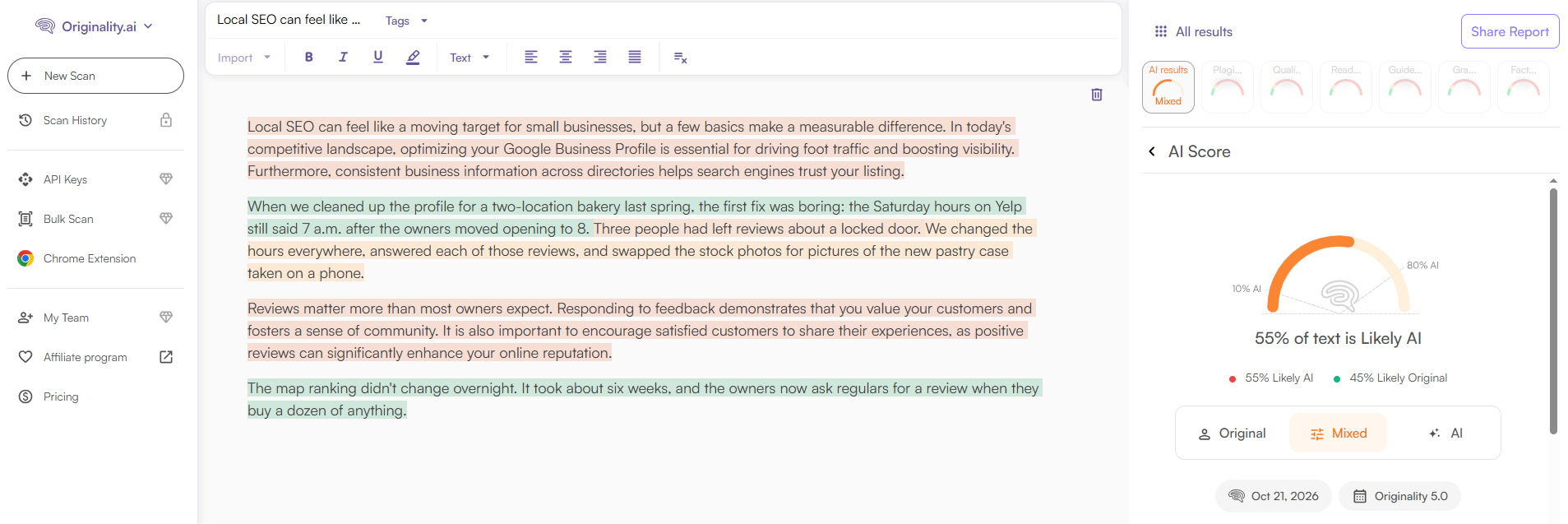
Originality.ai is aimed at content teams and publishers and pairs AI detection with a plagiarism scan in one report, which suits agencies that hold all freelance work to one standard.
Key features:
- Highlights the sentences most likely written by AI
- Bulk scans by file, URL or sitemap
- Team seats, Chrome extension and WordPress plugin
Pros:
- AI and plagiarism results in one report
- Detection in 30 languages
Cons:
- The free plan covers AI detection only
- API access requires the Enterprise plan
Pricing: Pro costs $14.95 a month, or $12.95 a month billed annually, for 2,000 credits a month at 100 words per credit.
2. GPTZero: Best for Sentence-Level Editorial Review
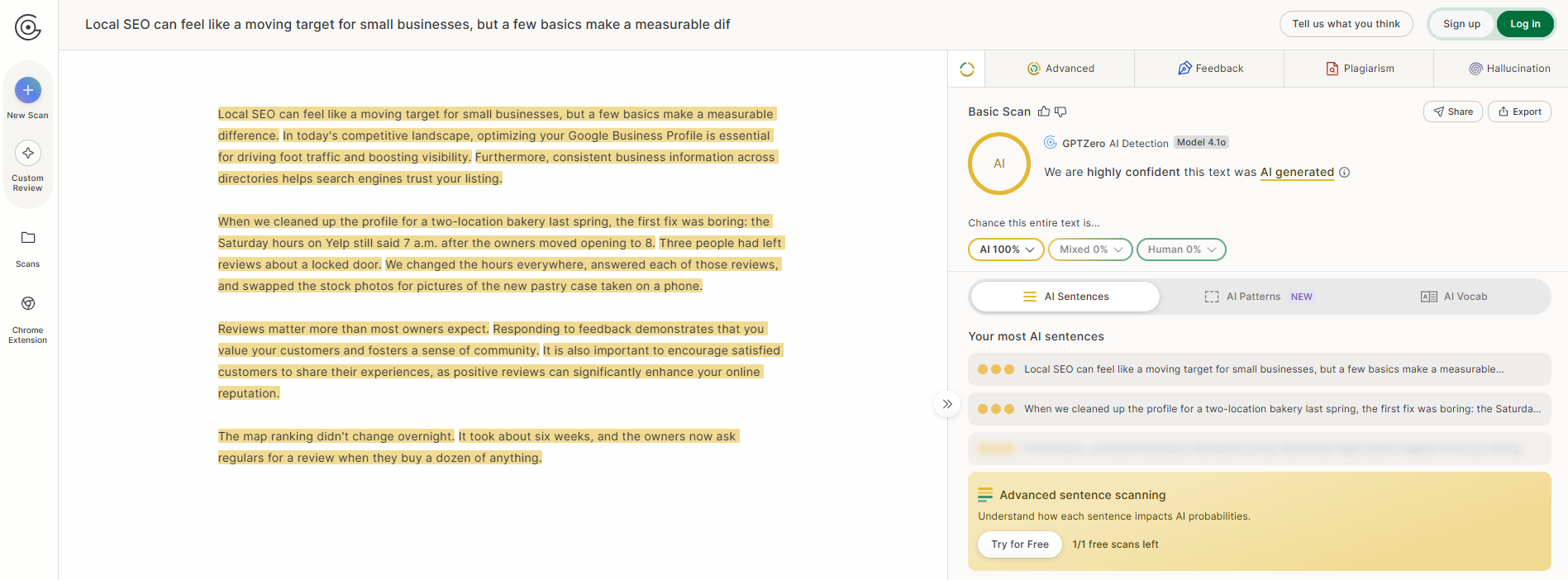
GPTZero is best known in education, but its sentence highlights suit editors who want to point authors to specific lines.
Key features:
- Color-coded sentence highlights
- Batch scanning of multiple files
- Chrome extension for Google Docs and the web
Pros:
- 10,000 free words a month
- Checks of up to 10,000 characters without an account
Cons:
- Its own FAQ warns against relying on sentence labels alone
- Language support is described differently across its own pages
Pricing: Premium starts at $12.99 a month billed annually, according to GPTZero’s own comparisons, so check its pricing page for monthly rates.
3. Copyleaks: Best for Multilingual AI and Plagiarism Checks
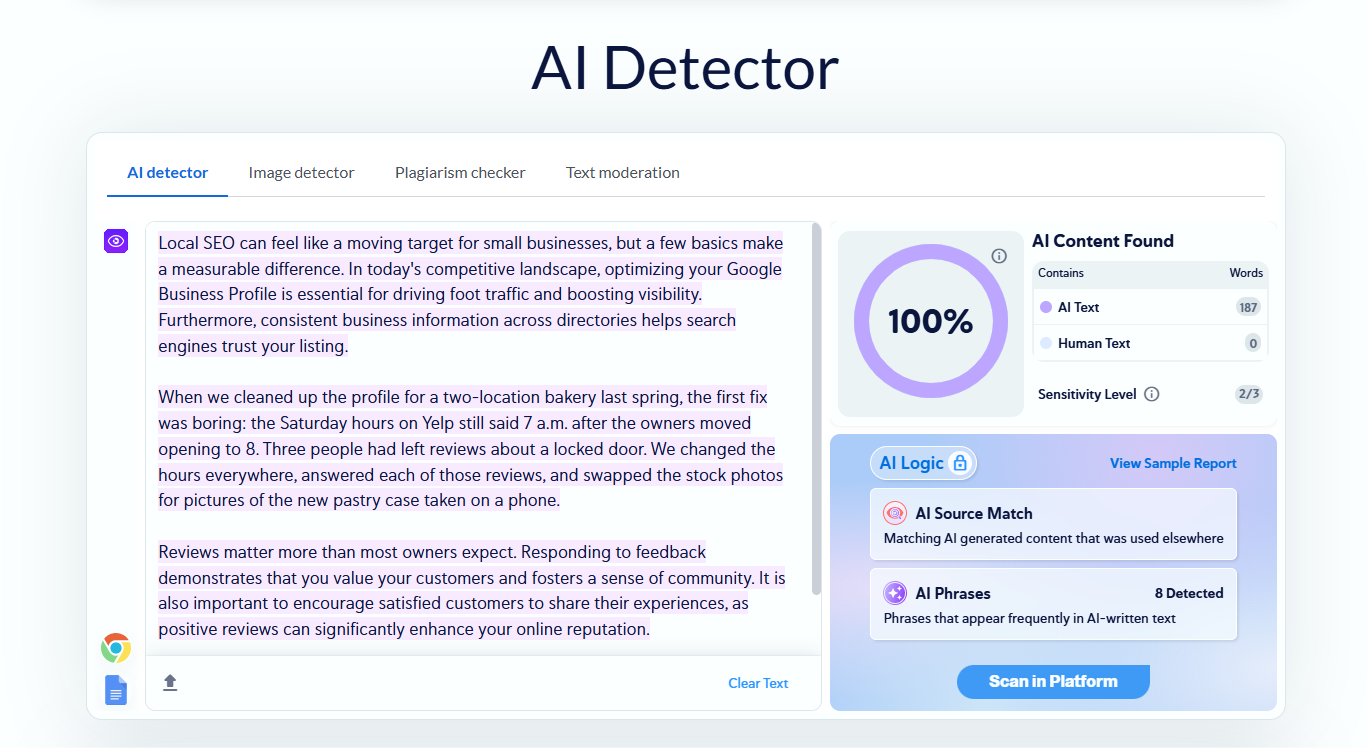
Copyleaks detects AI in more than 30 languages and, on paid plans, checks plagiarism in more than 100, while AI Logic, which explains why a passage was flagged, needs a subscription.
Key features:
- Sentence-by-sentence results with highlighted phrases
- Multi-file uploads, plus sitemap scans on Pro
- Browser extensions and a Google Docs add-on
Pros:
- 25,000 characters per check without logging in
- One credit balance for AI and plagiarism scans
Cons:
- Copyleaks notes that text edited with grammar tools can be flagged as AI
- The free account’s monthly allowance is not clearly stated
Pricing: Personal costs $16.99 a month for 100 credits, about 25,000 words, or $13.99 a month billed annually.
4. Winston AI: Best for Scanned and Image-Based Submissions
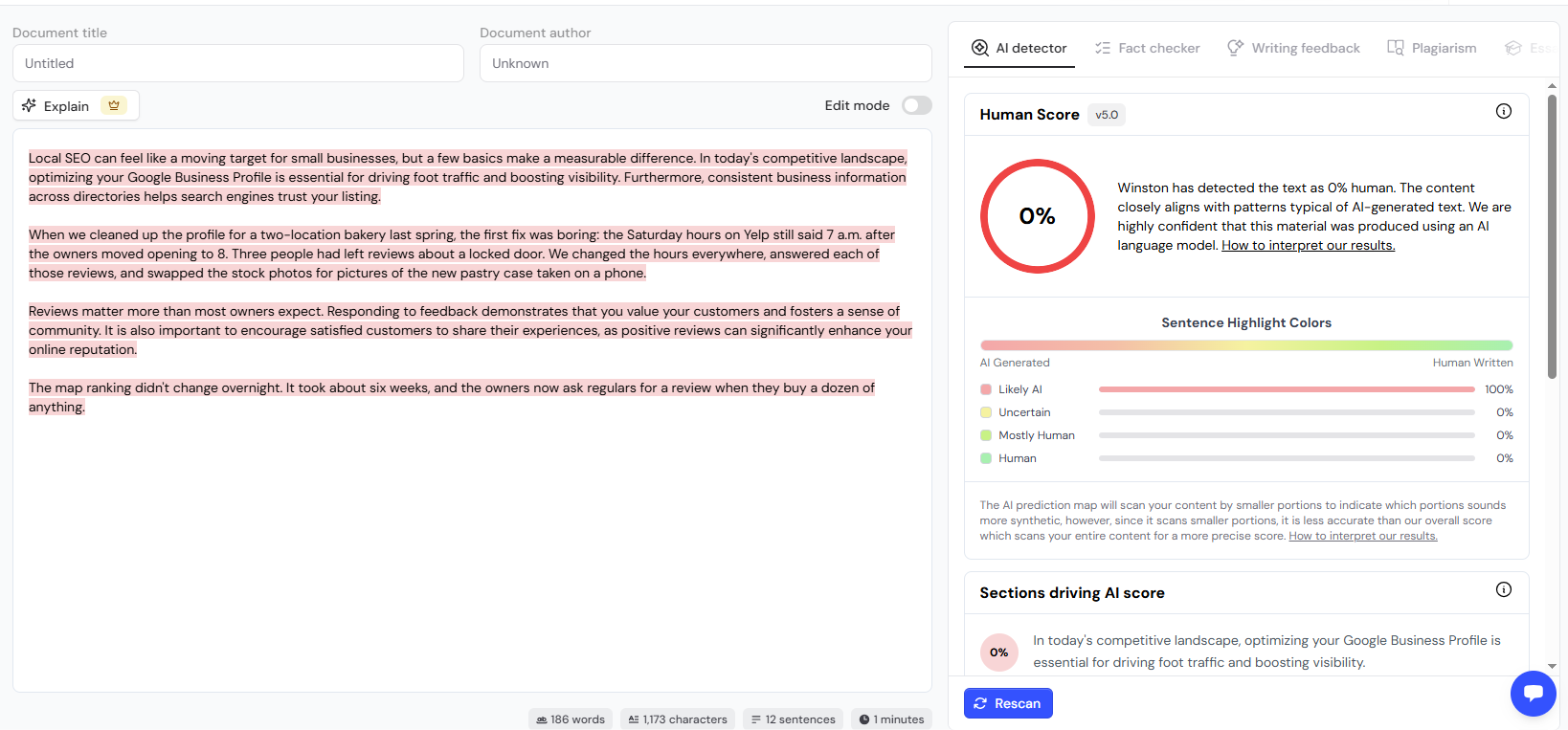
Winston AI reads scanned documents, images, and handwriting through OCR, which helps when submissions arrive as PDFs or screenshots rather than editable drafts.
Key features:
- Sentence-by-sentence AI Prediction Map
- Bulk upload of up to 50 files
- Chrome extension, WordPress plugin and Zapier
Pros:
- Imports files from Google Drive
- Clear length guidance, with 300 or more words recommended
Cons:
- No ongoing free plan, only a 14-day trial with an account
- Less reliable on translated or heavily edited AI drafts, Winston says
Pricing: The trial gives 2,000 credits at one credit per word. Essential lists at $18 a month, or $120 a year, for 100,000 credits a month, with a promotional discount running when we checked.
5. GPTinf: Best for Free Checks With a Reason for Each Flag
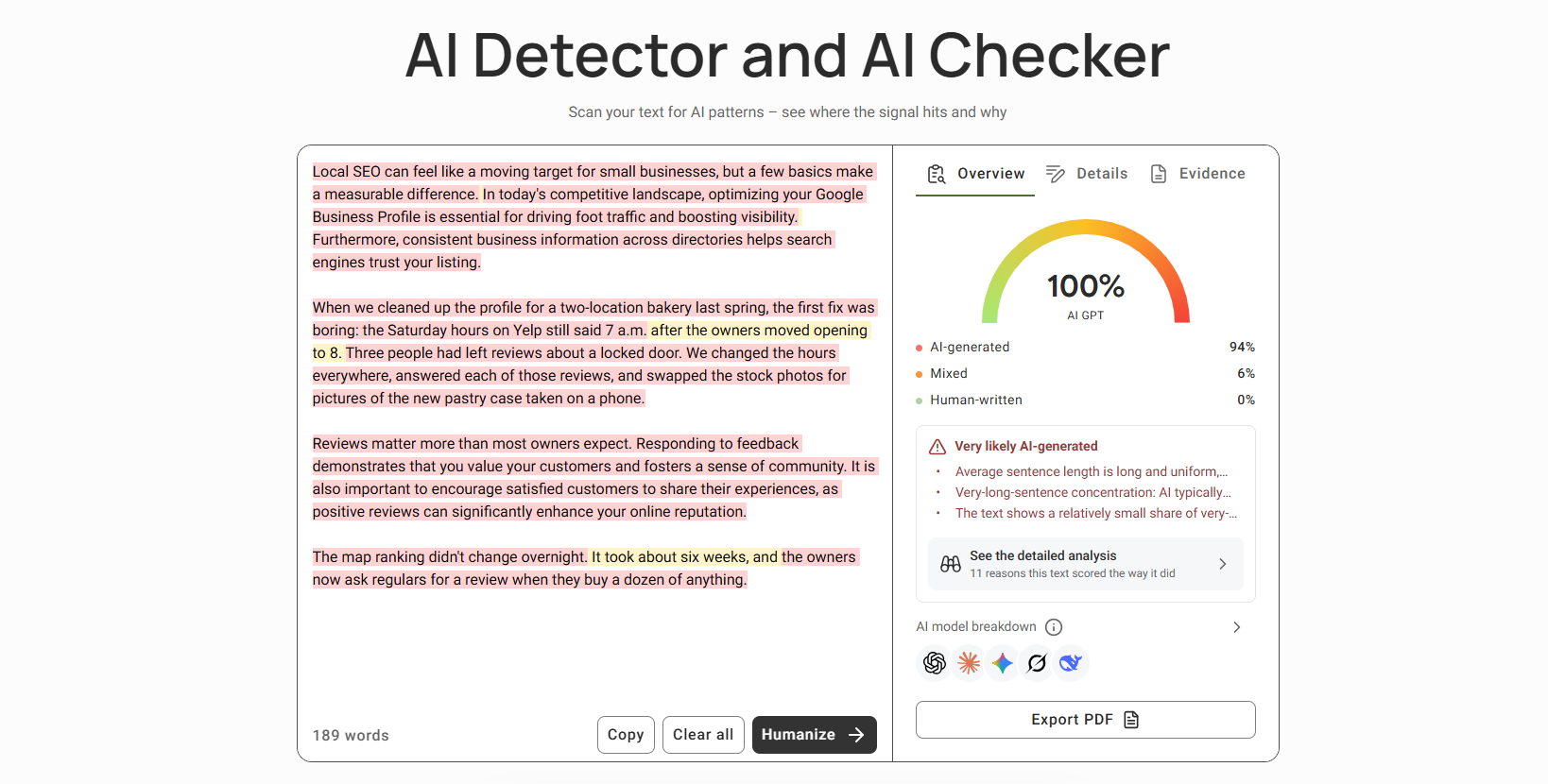
GPTinf’s free AI text detector explains its verdict as well as scoring the draft, which helps when you need to show an author why a section raised questions.
Key features:
- AI, mixed and human-written labels for each passage
- A reasoning panel that quotes flagged passages
- Likelihood scores for ChatGPT, Claude, Gemini, Grok and DeepSeek
Pros:
- Free, unlimited, and no account needed
- Accepts pasted text, PDF and Word files
Cons:
- No API or browser extension, so every check is manual
- Like every checker here, it gives a probability, not proof
Pricing: The detector is free. Paid plans, which cover the site’s humanizer and unlimited plagiarism checks, start at $9.99 a month.
6. Sapling: Best for Spot Checks of Short Passages
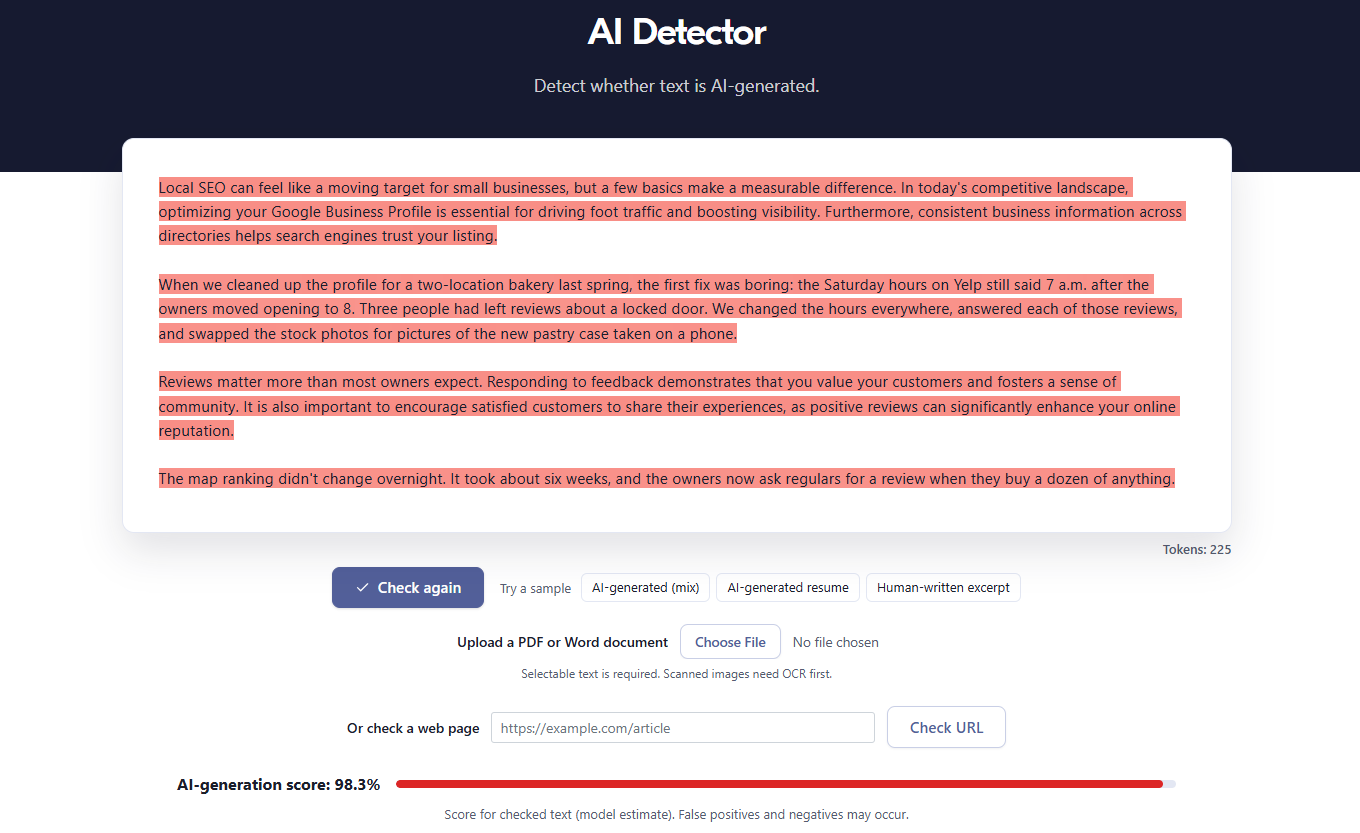
Sapling is a lightweight checker with optional sentence scores, handy for testing one suspicious paragraph, and Sapling itself says its accuracy improves a lot after about 50 words.
Key features:
- Optional sentence scores
- PDF and Word uploads
- Chrome extension and an English-only API
Pros:
- Free checks without a subscription
- Web detection in eight languages
Cons:
- Free checks score only the first 2,000 characters, so a full post is not covered
- No plagiarism checker
Pricing: Pro costs $25 a month, or $12 a month billed annually, for up to 100,000 characters per check.
7. ZeroGPT: Best for Free Passes on Long Drafts
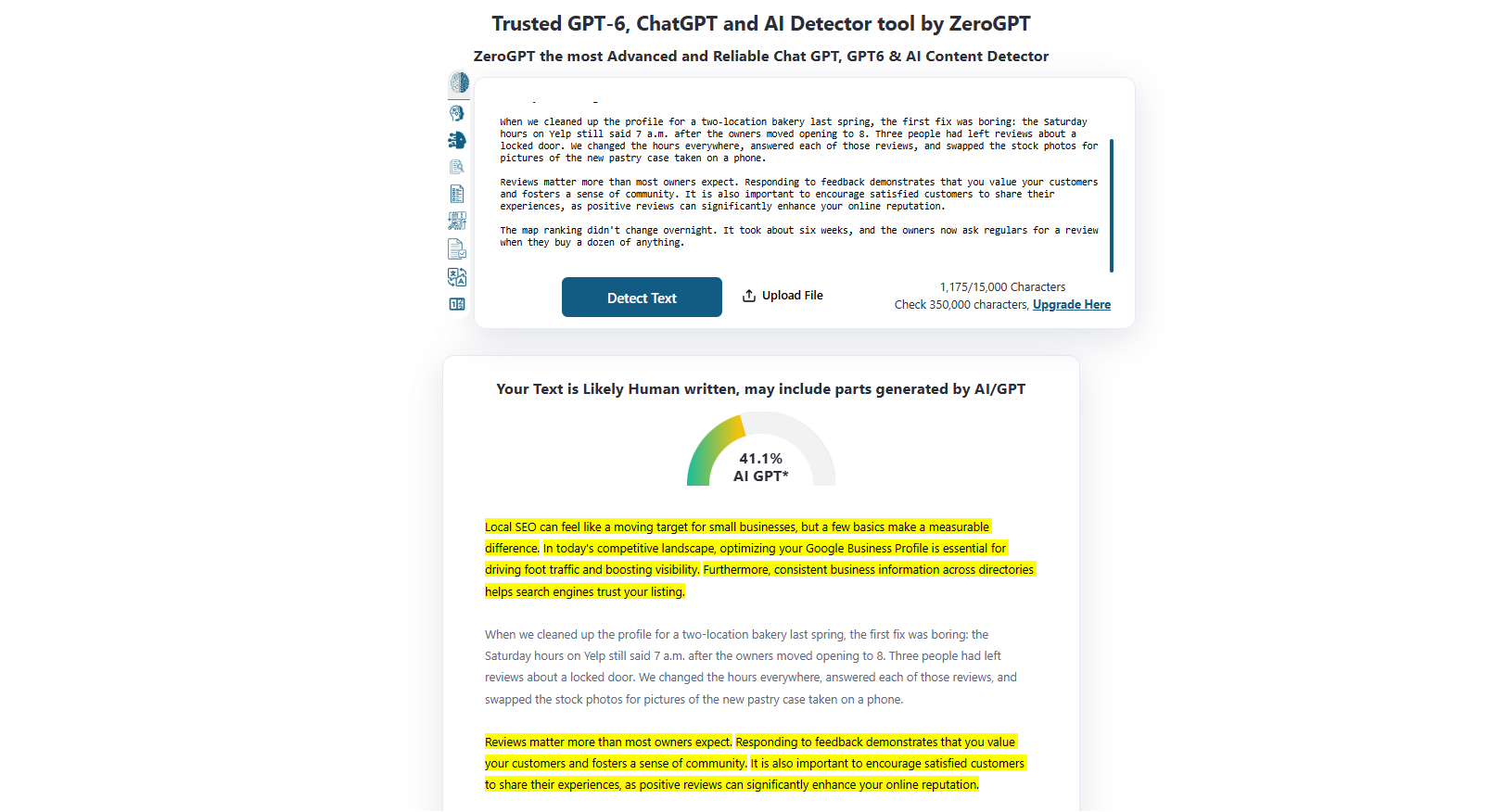
ZeroGPT’s free tier takes up to 15,000 characters per check, enough for a typical 2,000-word guest post, and it highlights likely AI sentences next to an overall percentage.
Key features:
- Sentence highlights and a document score
- Batch checks and PDF reports on paid plans
- API with batch processing
Pros:
- A generous free limit per check
- No credit card needed
Cons:
- Its FAQ says polished, formulaic writing can resemble AI, which fits a lot of SEO copy
- Languages are described only as “all”, with no list
Pricing: Pro costs $14.99 a month, or $8.99 a month billed annually, for 100,000 characters per check.
8. QuillBot: Best for Existing QuillBot Users
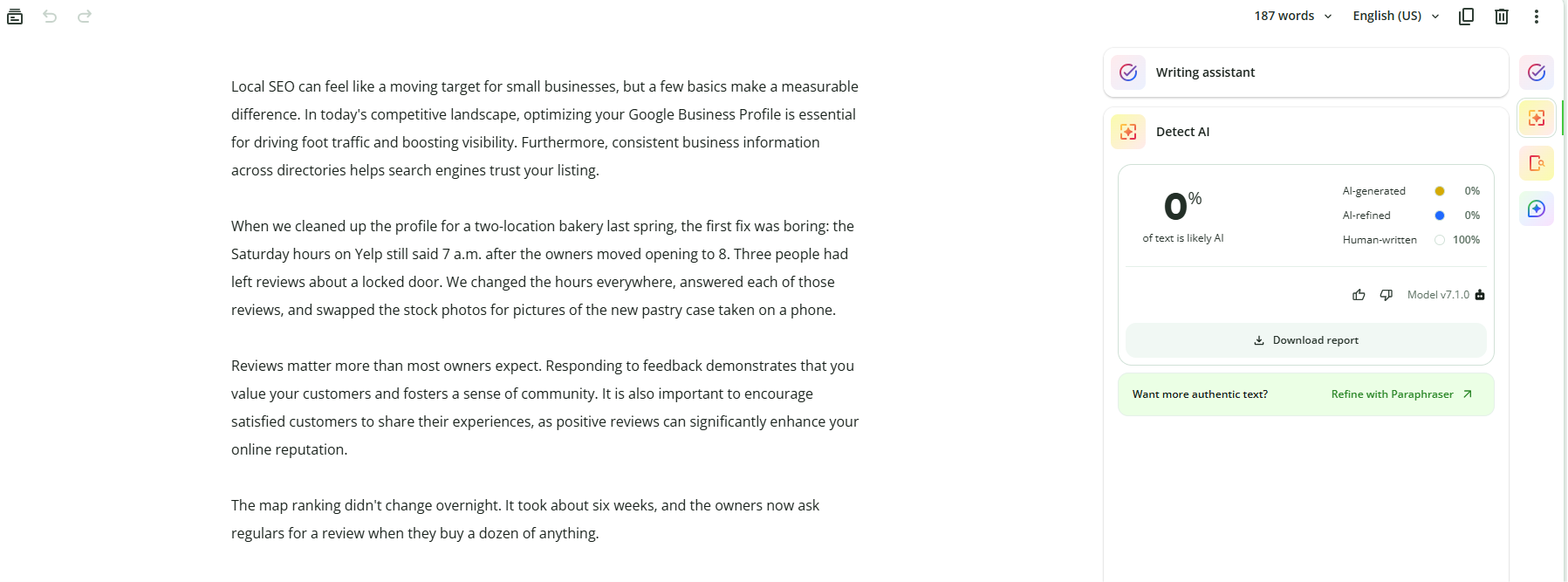
QuillBot sorts text into four groups, from AI-generated to human-written, with two separate labels for AI-refined text, which helps with drafts an author wrote and then polished with AI.
Key features:
- Four-category, sentence-level highlights
- File and bulk uploads on Premium
- Part of a paraphrasing and grammar suite
Pros:
- 1,200 free words per scan without signing up
- Clear guidance that results are estimates, not verdicts
Cons:
- Only 6 free scans a day, with an 80-word minimum
- The checker does not scan for plagiarism
Pricing: Premium costs $19.95 a month, or $8.33 a month billed annually, and removes the word and scan limits for detection.
9. Grammarly: Best for Teams Editing in Grammarly
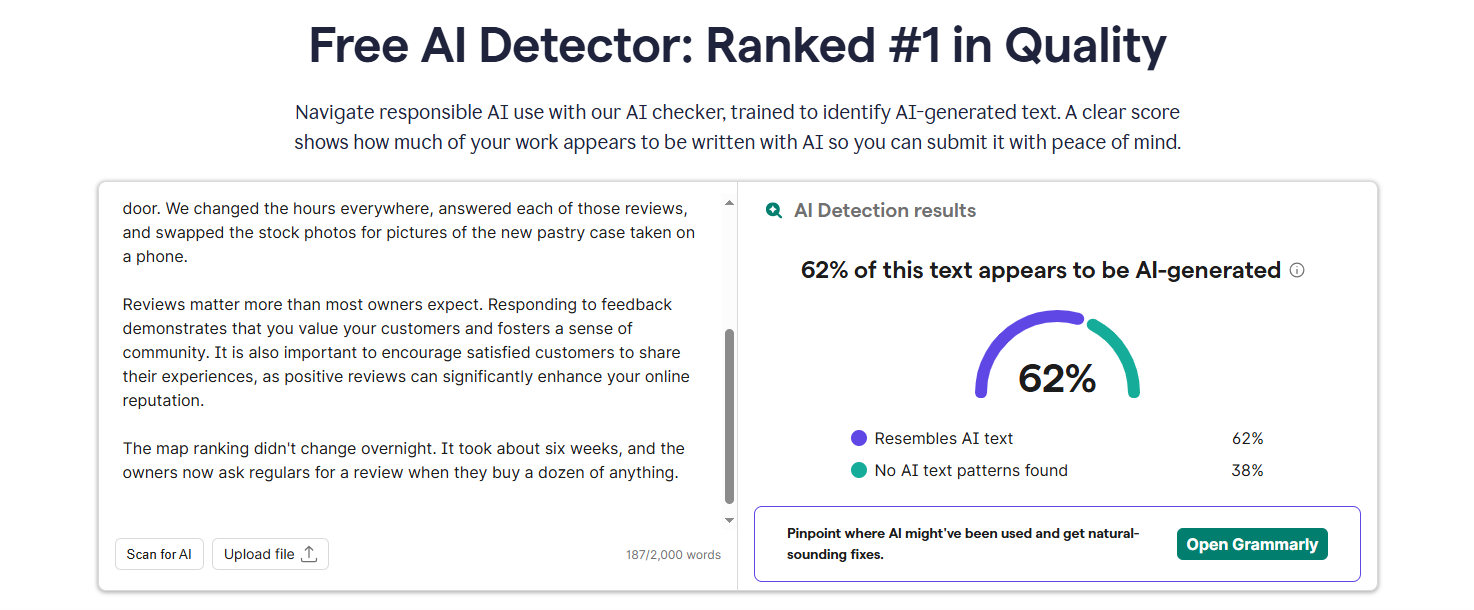
Grammarly’s free web checker gives an overall percentage for up to 2,000 words, and Pro underlines questionable passages inside documents wherever Grammarly runs, including Google Docs and Word.
Key features:
- Free overall AI score on the web
- In-document underlines on Pro
- Document upload in the web tool
Pros:
- Works inside an editor many teams already pay for
- Plagiarism checking included in Pro
Cons:
- Detection covers English only
- Grammarly warns that text rewritten with its own AI agents is likely to be flagged
Pricing: Pro costs $30 per member a month, or $144 per member a year.
10. Pangram: Best for Checks in Google Docs and Gmail
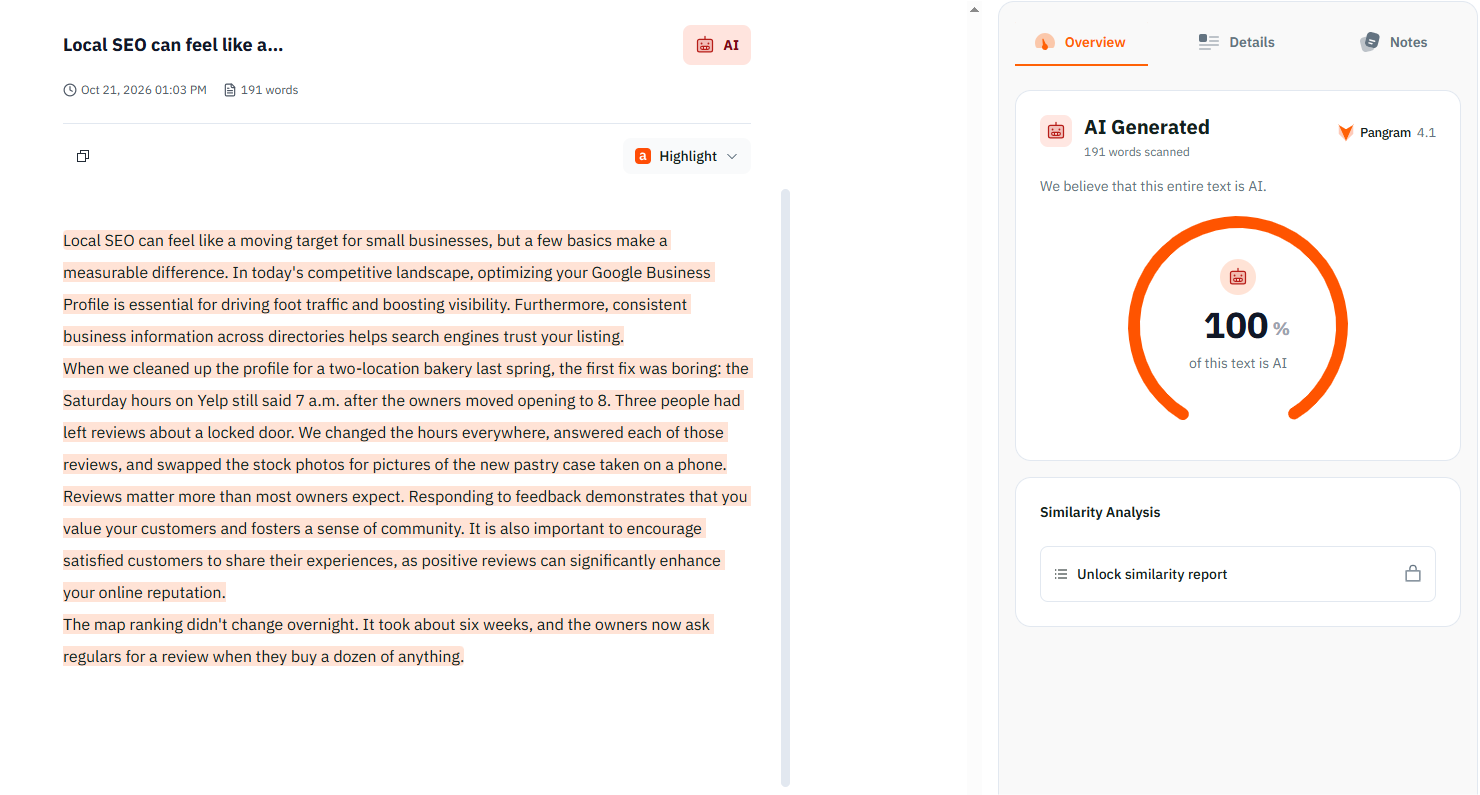
Pangram labels segments as human, AI or AI-assisted, and its paid plan connects to Google Docs and Gmail, so you can check a submission where it arrives.
Key features:
- Human, AI and AI-assisted segment labels
- File upload with OCR on paid plans
- Chrome extension, API and CMS integrations
Pros:
- Detection in more than 20 languages
- A separate label for AI-assisted writing
Cons:
- An account is needed even for free checks
- One long post can use most of the 2,000-word daily free cap
Pricing: Individual costs $20 a month, or $15 a month billed annually, for 300,000 words a month and similarity detection.
Which Checker to Choose: 6 Common Review Setups
Most AI detection tools for bloggers cover a small site for free, so pick by volume and by how submissions reach you:
- A few drafts a month, no budget: GPTZero or GPTinf, with ZeroGPT as a second opinion on long drafts.
- An agency or a busy guest post program: Originality.ai or Copyleaks, for bulk scans with plagiarism results.
- Posts in several languages: Copyleaks or Originality.ai, not English-only Grammarly.
- Submissions in Gmail or Google Docs: Pangram, or Grammarly Pro if your team already uses it.
- Scanned PDFs and images: Winston AI.
- Authors who polish drafts with AI: QuillBot or Pangram, which label AI-refined text separately.
A Fair 4-Step Review Workflow for Guest Posts and Freelance Drafts
A checker is one part of a guest post quality check, and it only helps inside a process that is fair to the author. For any submission that raises questions:
- Run two checkers, not one. Tools use different models and can read the same draft differently, so agreement gives you specific passages to discuss, while disagreement means you should read the draft closely yourself.
- Ask the author before you reject. Request sources, notes or an earlier draft. A writer who did the research can usually show it, and that tells you more than a score.
- Fix the draft, not the score. Where the piece is solid but reads flat, the author can rewrite stiff passages by hand or humanize AI phrasing that sounds mechanical, then add the examples, data and first-hand detail that only they can supply.
- Re-check, then judge the value. Run the edit through the same checker to see what still stands out, but decide on whether the post now gives readers something new. A lower score proves nothing by itself, and if your guidelines require AI disclosure, confirm it here.
Why Checkers Flag Human-Written Drafts and How to Respond to the Author
Checkers are trained on large sets of human and AI writing and score how closely each passage matches either side, using signals such as uniform sentence length and predictable word choices, so careful, predictable human writing can look like AI.
A Stanford study by Liang and colleagues, published in Patterns in July 2023, found that seven popular detectors labeled TOEFL essays by non-native English speakers as AI-generated 61% of the time on average.
Formulaic intros, list-heavy structure, template-driven SEO copy and very short texts also trigger flags, which is why vendors set minimums: QuillBot asks for 80 words, Pangram for 50 and Turnitin for 300. If you check sections one at a time, a word counter shows which of them fall short.
When you raise a flag, name the highlighted passages, explain that scores are probabilities and ask for notes or sources: “Our checker flagged the intro and the second section. Could you share your research notes for those parts?” If the author can back the work up, publish it on its merits.
Conclusion: 3 Steps to Put in Place This Week
AI content checkers make reviewing submissions faster, but the useful signal is in the highlighted passages and the conversation they start, not in the percentage. Three steps for this week:
- Pick one main checker and one second opinion that fit your volume and budget.
- Add a line to your guest post guidelines saying that submissions may be checked and that you will ask for sources first.
- Write a short, neutral template for asking authors about flagged passages.
Frequently Asked Questions
Are AI content checkers accurate?
They are accurate enough to guide a review, but not to decide one. OpenAI withdrew its own AI text classifier on July 20, 2023, citing its low accuracy: it had correctly identified only 26% of AI-written text and mislabeled human text 9% of the time. Today’s higher figures come from tests the vendors ran or chose.
Can Google detect AI content?
Google has not said that it ranks pages by whether AI wrote them. With its March 2024 core update, it said its scaled content abuse policy applies whether content comes from automation, people or both, so the risk is mass-produced pages with no value for users.
Do these checkers work on non-English submissions?
Some do. Copyleaks lists more than 30 languages and Pangram more than 20, while Grammarly covers English only, so test any tool on a few texts you know people wrote before relying on it.
Is it worth paying for an AI content checker?
If you only need to check if content is AI-generated a few times a month, free plans are enough: GPTZero’s 10,000 free words cover about five 2,000-word posts. Pay once you need bulk scans, plagiarism results in the same report, team seats or integrations.

Vaayu is a full-time blogger and content writer with a passion for digital marketing. With years of experience in the industry, he shares practical tips, insights, and strategies to help businesses and individuals grow online. When not writing, Vaayu enjoys exploring new marketing trends and testing the latest online tools.