
Best Website Builder for Booking Appointments: Which Make No-Shows Pay a Deposit?

Your calendar may look packed, yet every empty chair still drains cash. U.S. salons lose about 3 percent of bookings to no-shows, roughly $1,500 for every 1,000 $50 services. This guide ranks 11 website builders that let you require a deposit, keep a card on file, or charge the full amount upfront before a client claims your time.
You’ll see how each platform secures money in advance, enforces no-show fees, and spells out the true cost. Square Online + Square Appointments leads, with Squarespace + Acuity and Wix close behind.
Quick answer: the best booking website builders at a glance
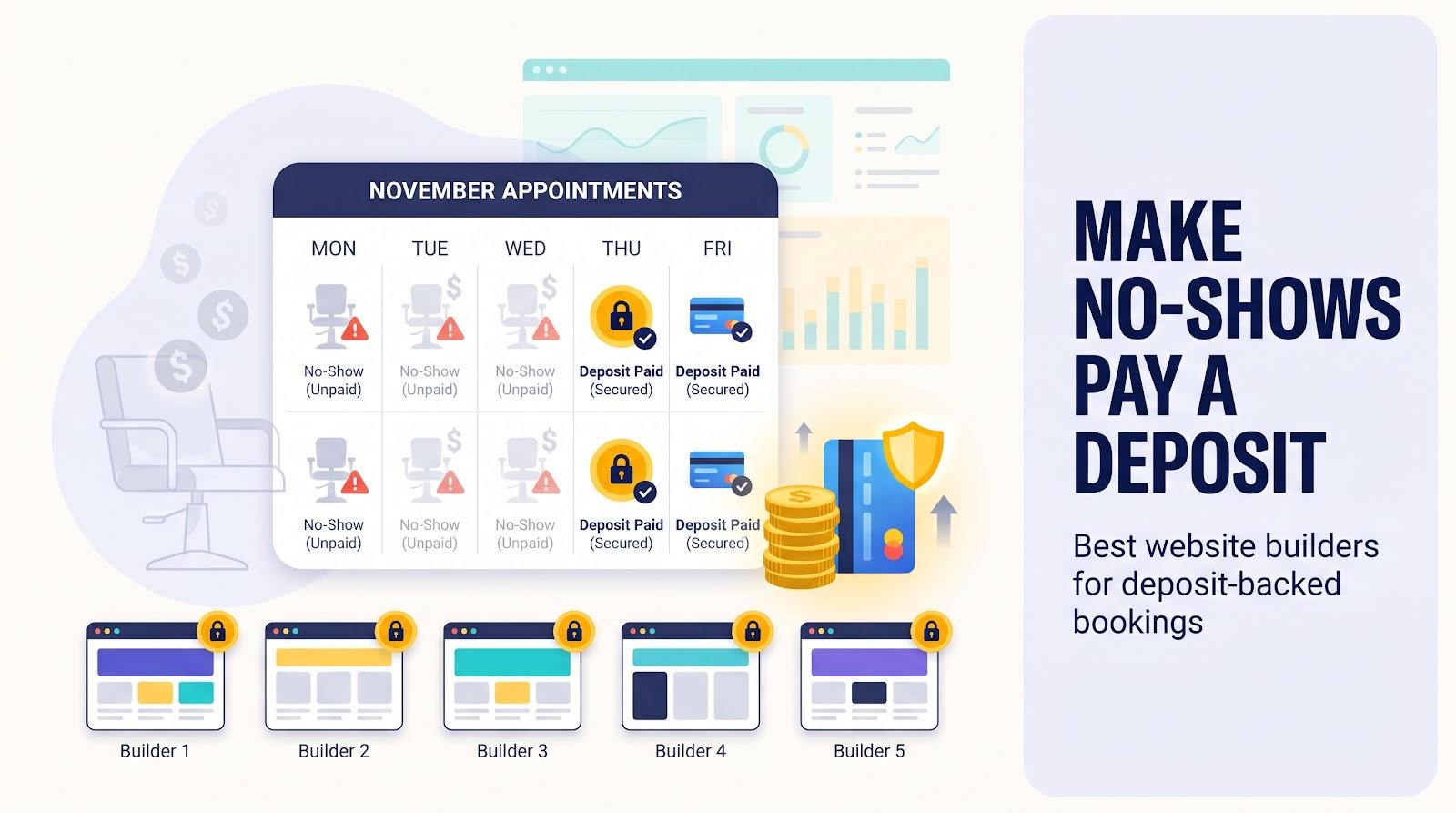
Short on time? These five platforms let you take a deposit, keep a card on file, or collect full payment up front, so no-shows never dent your revenue.
|
Rank |
Platform |
Deposit options |
Starting cost (USD) |
Biggest limitation |
|---|---|---|---|---|
|
1 |
Square Online + Square Appointments |
Flat or % deposit, full pre-pay, held card, no-show fee |
Free plan for deposits; paid Plus plan for no-show fees |
Limited design flexibility |
|
2 |
Squarespace + Acuity |
Flat or % deposit, full pre-pay, saved card |
≈ $35 / month billed annually (Basic site + Acuity Starter) |
Two separate subscriptions |
|
3 |
Wix |
Flat-amount deposit, full pre-pay, saved-card cancellation / no-show fee |
Paid plan required |
No % deposit; deposits not yet live for every account |
|
4 |
Fresha |
Flat or % deposit, optional full pre-pay, card capture, no-show fee |
$19.95 / month (Independent plan) |
20 % one-time fee on new marketplace clients |
|
5 |
GlossGenius |
Flat deposit, card on file, no-show fee |
$24 / month billed annually |
Beauty focus; dollar-only deposits |
Square leads on payment power and price; Squarespace + Acuity wins on design and flexible percentages; Wix remains the strongest pure site builder. Fresha and GlossGenius suit salon owners who gain clients through beauty marketplaces.
How we researched and ranked the platforms
We began with one hard rule: if a builder cannot take a deposit, full pre-payment, or a card-on-file no-show fee, we removed it.
Next, we scored each contender on an 11-factor rubric weighted to the pain points readers talk about most. Deposit and no-show protection make up 28 percent of the total. Working cost, design freedom, and integration depth follow, while support, security, SEO, and mobile experience complete the 100-point scale.
We drew evidence from three sources:
- First-party docs and changelogs for every feature or fee
- User sentiment on Capterra, G2, Trustpilot, and Reddit threads about failed no-show charges
- Independent market studies that track no-shows and payment friction
Every price and deposit feature below was checked against the vendor’s own pricing or help pages in November 2026. When a vendor marks a feature as “coming soon,” we highlight the uncertainty so you can confirm before switching.
When a custom booking flow beats a turnkey scheduler
Most service businesses thrive on pick-a-plan, add-your-logo simplicity. At times, though, your workflow needs logic a boxed platform cannot capture: maybe an intake form shifts the deposit by lab result, or a group booking must split payment among friends.
In those cases, a custom build makes sense. Emerging AI site builders such as Spark, created by Plus Docs, Inc., let you describe an idea in chat. Spark then assembles the site or web app with hosting, customer accounts, and Stripe payments already in place, all without code.
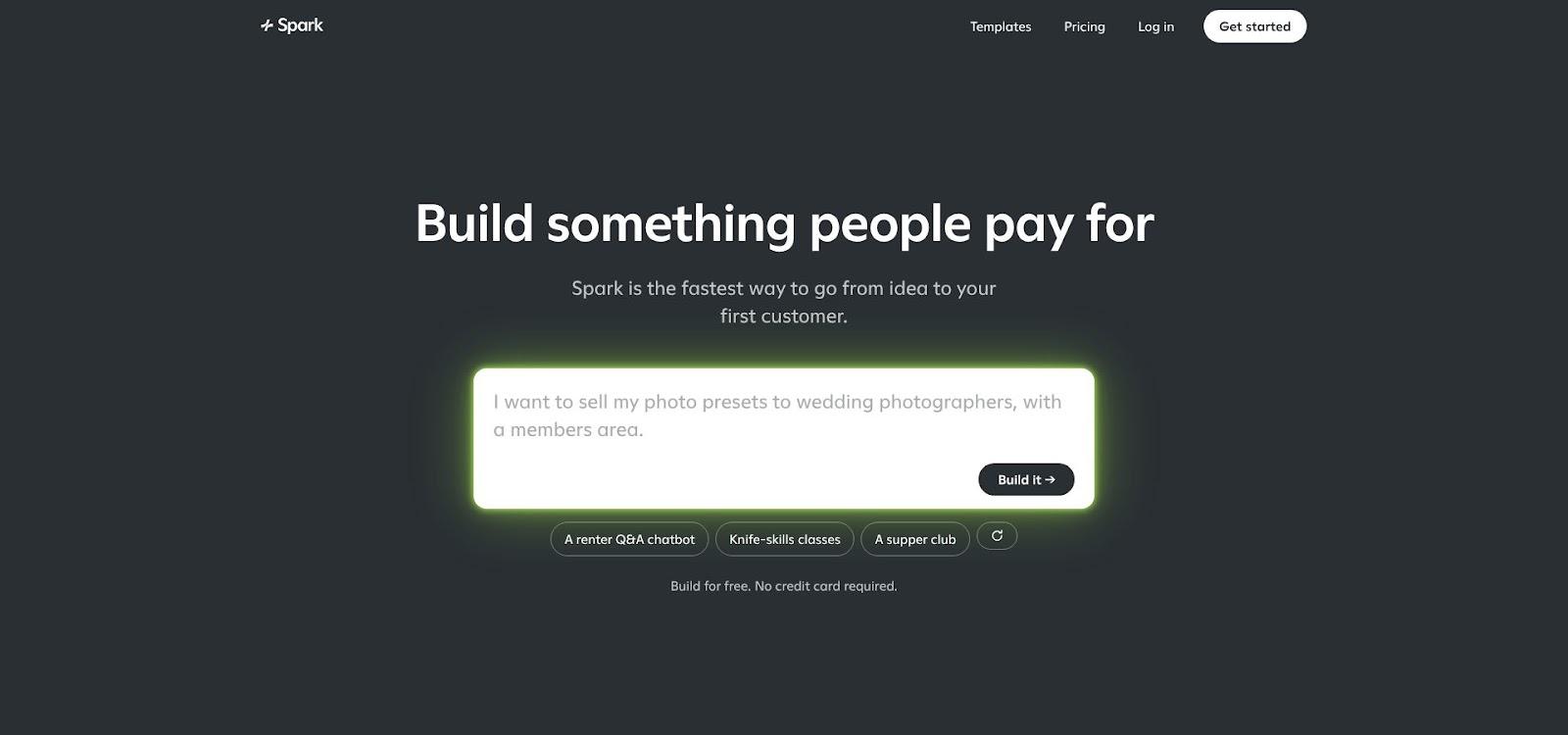
Spark AI custom booking flow builder homepage screenshot
Spark handles subscriptions, one-time purchases, and Stripe-managed refunds, yet you should still confirm that any custom tool can manage your calendar sync and deposit rules before you commit. For most owners, an out-of-the-box builder remains the safer choice for predictability, automatic updates, and community support.
Website builders for booking appointments compared
Below is the Deposit Controls Matrix: 11 platforms measured against five critical safeguards: fixed deposit, percentage deposit, full pre-pay, card on file, and no-show fee. Scan any row and you’ll see instantly whether a builder offers the protection your calendar needs.
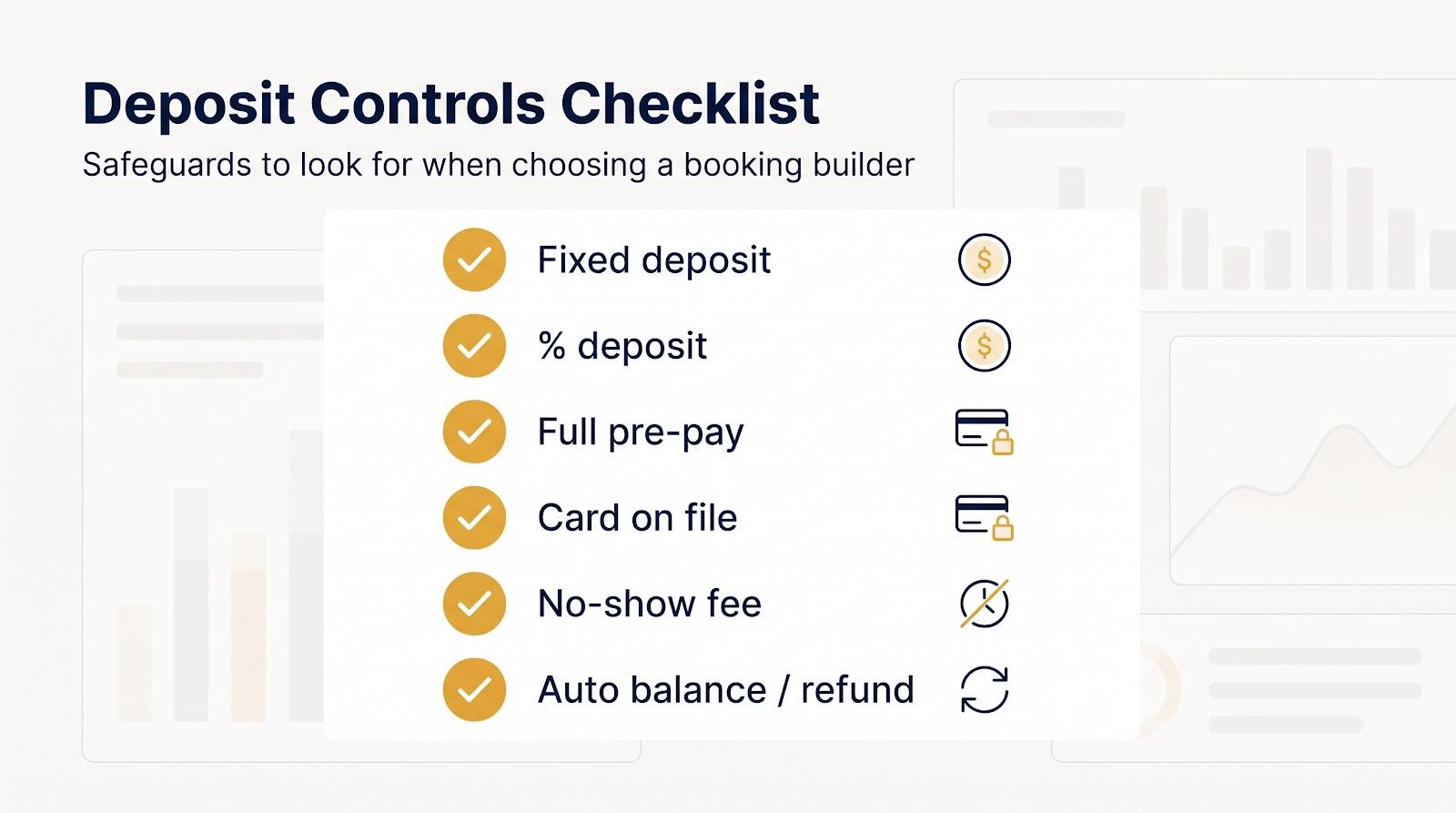
The deposit controls matrix
|
Rank |
Platform |
Fixed deposit |
% deposit |
Full pre-pay |
Card on file |
No-show fee |
|---|---|---|---|---|---|---|
|
1 |
Square Online + Appointments |
✓ |
✓ |
✓ |
✓ |
✓ |
|
2 |
Squarespace + Acuity |
✓ |
✓ |
✓ |
✓ |
Manual |
|
3 |
Wix |
✓ |
No |
✓ |
✓ |
✓ |
|
4 |
Fresha |
✓ |
✓ |
✓ |
✓ |
✓ |
|
5 |
GlossGenius |
✓ |
No |
No |
✓ |
✓ |
|
6 |
Trafft |
✓ |
✓ |
✓ |
No |
No |
|
7 |
Setmore |
✓ |
✓ |
No |
No |
No |
|
8 |
WordPress + Amelia |
✓ |
✓ |
✓ |
No |
No |
|
9 |
SimplyBook.me |
✓ |
No |
✓ |
✓* |
No |
|
10 |
Vagaro |
✓ |
✓ |
✓ |
✓ |
✓ |
|
11 |
GoDaddy |
✓ |
No |
✓ |
No |
No |
*Saved cards come with Payments PRO on SimplyBook.me’s Premium plan.
Legend: “✓” = stated on the vendor’s own help or pricing pages (checked November 2026) | “Manual” = you charge the saved card yourself | “No” = not stated there
Square leads because it pairs fixed or percentage deposits per service on its Free plan with a held-card no-show fee on paid plans. Squarespace + Acuity matches every safeguard and layers deeper design control.
Wix ranks third: it takes flat-amount deposits and saved-card cancellation fees, but offers no percentage deposit, and its help center says deposits are not yet available for all users.
1. Square Online + Square Appointments: best overall for deposits and POS
Why it ranks first
Square folds deposit protection into the same dashboard that powers your POS, inventory, and client list. You can require a fixed or percentage deposit for all services or only some, require full prepayment, or hold a card and charge a flat or percentage no-show fee when a client breaks your cancellation policy, according to Square’s help center.
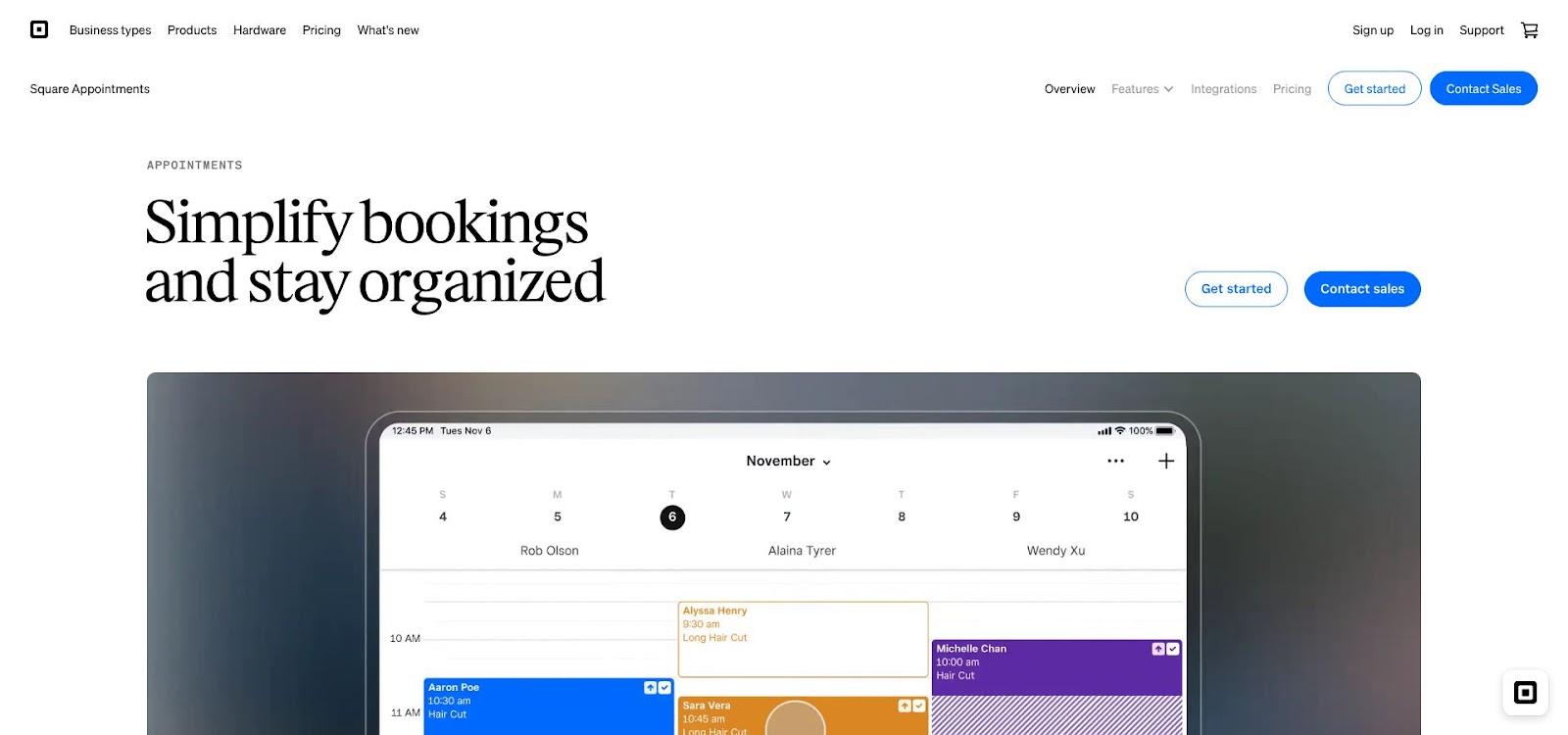
Square Online and Appointments deposit settings dashboard screenshot
Cost and fees
Deposits work on the Free plan of Square Appointments. Cancellation policies and no-show fees are Plus features, and Square lists lower processing fees on Plus and Premium than on Free. Check Square’s pricing page for current per-location prices and rates.
Trade-offs
Templates handle the logo, hero, and service list but cannot match Wix or Squarespace for granular design control. If smooth booking, Apple Pay, and a unified POS matter more than fine-tuned visuals, Square delivers a strong mix of protection, price, and in-person sales power.
2. Squarespace + Acuity Scheduling: best for design and flexible deposits
Why creative brands pick it
Squarespace provides the templates; Acuity brings the scheduling muscle. As a first-party add-on, Acuity keeps clients on your domain while you set a flat deposit, a percentage such as 20 percent, or full pre-payment.
With Stripe or Square connected, you can also require clients to save a card at booking and charge it later, for example after a no-show (see Acuity’s help documentation). The Premium plan adds an AI Booking Assistant chat bot for clients.
Cost and fees
- Squarespace Basic: $19 per month billed annually
- Acuity Starter: $16 per month billed annually
Total entry cost: roughly $35 before card fees. Payments run through Stripe, Square, or PayPal at their standard rates; saved cards need Stripe or Square.
Trade-offs
Design freedom is wide, yet you will juggle two dashboards and two subscriptions. SMS reminders unlock on Acuity Standard ($27 per month billed annually) and above, so plan for text nudges if they are part of your no-show defense.
If visual storytelling drives sales as much as policy protection, Squarespace with Acuity delivers both on one branded site.
3. Wix: best complete website builder
Why designers choose it
Wix offers true drag-and-drop control. Adjust every pixel, publish a blog, build a members area, and sell products alongside services, all on one site.
Deposit and no-show tools
Wix Bookings lets clients pay a deposit amount you set and the rest in person, or pay the full price online. With a cancellation fee turned on, clients enter card details at checkout, and you can charge the saved card a fixed or percentage fee for a late cancellation or no-show through Wix Payments, PayPal, or Stripe.
Wix offers no percentage deposit, and its help center notes that deposits are not yet available for all users.
Cost and fees
Taking booking payments online requires a paid Wix plan. Check Wix’s plans page for current prices and the Wix Payments fee page for your country’s card rates.
Trade-offs
A single dollar-amount deposit may feel high on low-cost services and too low on big-ticket ones. Before launch, check your dashboard to confirm which deposit options your account supports.
Choose Wix when brand polish and SEO matter as much as deposit protection, and verify that the needed feature is already active in your region.
4. Fresha: best for salons, spas, and medspas
Beauty booking in one place
Fresha pairs salon booking with payments and a point of sale, so appointments, deposits, and retail sales share one system.
Deposit and no-show tools
Require a deposit as an amount or a percentage, offer optional full prepayment, or capture card details only and charge a no-show or late-cancellation fee as a percentage of the appointment. Deposits are refunded from the same system, according to Fresha’s help center.
Cost and fees
- Independent plan: $19.95 per month
- Online card fee: 2.79 % + 20¢
- Marketplace: a 20 % one-time commission on new clients from the Fresha marketplace, $6 minimum, according to Fresha’s pricing page.
Trade-offs
The marketplace commission can exceed your software bill if many new clients come through Fresha instead of your own marketing. Run the numbers before you move.
Fresha fits work that involves color bowls, blades, or medical-grade serums, automating paperwork and deposit enforcement while letting you sell retail at the same checkout.
5. GlossGenius: best for independent beauty professionals
Solo seat, studio-grade polish
Running a chair alone means you act as stylist, marketer, and bookkeeper all at once. GlossGenius eases that load with a refined booking site and a back end that keeps your calendar, client notes, and card vault in one place.
Deposit and no-show tools
Set a fixed-dollar deposit per service, and require a card on file for new clients, all clients, or no one, so you can charge no-show or late-cancellation fees. You can also exempt existing clients from deposits as a loyalty perk.
Cost and fees
- Standard plan: $24 per month when billed annually
- Processing: 2.4 % + 15¢ in person and 3.4 % + 15¢ for online, card-on-file, or keyed-in payments, according to GlossGenius’s help center.
Trade-offs
Deposits use whole-dollar amounts, not percentages, which can feel blunt on a menu that ranges from $40 trims to $400 color services. Because the product centers on beauty, tutors or consultants may notice extra lash-lift fields they do not need.
For a single-seat salon, GlossGenius balances client-facing polish, strong deposit control, and zero plugin clutter.
6. Trafft: best booking-first platform for flexible deposit rules
Built for schedules first, website second
Trafft skips template tinkering and goes straight to mechanics: spin up a clean booking site, set staff availability, and focus on the money.
Deposit and balance tools
Set a fixed or percentage deposit for all services or for individual ones, for example a flat $20 on a quick consult and 30 percent on premium packages, with the rest paid on site, according to Trafft’s payment features page.
Cost and fees
Deposit payments appear in Trafft’s plan feature lists; check its pricing page for the current tier and price. Payments run through Square, PayPal, Stripe, Mollie, or Authorize.net at their standard card fees.
Trade-offs
You gain a focused booking page, not a full drag-and-drop website. SEO tools are light, and design control covers typography, colors, and a hero image. If your storytelling already lives on social or a separate CMS, that lean approach feels refreshing. If you need a broad brand canvas, embed Trafft instead.
Choose Trafft when smart scheduling logic, multi-provider capacity, or flexible deposit math matter more than detailed page design.
7. Setmore: best low-cost percentage deposit option
Budget-friendly, still serious about no-shows
Setmore keeps pricing lean while still unlocking percentage or flat deposits on its Pro plan, payments through Square, Stripe, PayPal, or LawPay, and a booking page that works on any device your clients use.
The deposit logic covers the basics: ask for thirty percent or fifty dollars before the slot locks. One rule applies to every service, so you trade nuance for simplicity, but many small teams find a single setting easier to explain to clients than a menu of percentages.
Setmore’s help pages describe no saved-card charge for a missed appointment, and deposits are not refunded automatically, so refunds are a manual step.
Choose Setmore when cost control tops your list and one deposit rule is enough to keep late cancels in check. If you need per-service rules or instant no-show fees, look higher up the ranking.
8. WordPress + Amelia: best for custom workflows and SEO
Unlimited canvas, developer-grade control
Need more than a booking page? WordPress lets you publish cornerstone articles, courses, or a members-only library, while the Amelia plugin adds fixed or percentage deposits per service, the option to pay in full, and payment links for the balance, with no PHP edits required.
Cost and fees
- Managed WordPress hosting: $10 to $25 per month
- Amelia licence: deposits are included on its paid plans; check Amelia’s pricing page for current rates
Payments run through Stripe, PayPal, Square, WooCommerce, Mollie, and other gateways, so you can shop the best card rate.
Trade-offs
Ownership brings chores: updates, backups, and security patches fall on you or your host. Skip them and you risk malware that hurts both clients and search rankings. Still, you gain full SEO control, thousands of themes, and integrations most turnkey builders cannot match.
Choose WordPress with Amelia when you need deep content, flexible deposit math, and a stack you can shape to any workflow, provided you are ready to keep it patched and polished.
9. SimplyBook.me: best for multi-provider booking on a budget
Team scheduling without the enterprise invoice
SimplyBook.me hides a deep scheduler beneath an entry-level price: a branded booking site, multiple providers, and a deposit option that stops chronic no-shows before they reach your door.
The deposit is a flat figure you set per service or class. If you need a sliding percentage, look higher up the list, but for many clinics and training studios a clear “pay twenty dollars now” beats math at checkout.
Basic deposits start on the Basic plan. Refunds, payment links, and saved cards come with Payments PRO on the Premium plan, so check which tier you need before you commit.
Where SimplyBook.me shines is global reach, with many payment gateways, multilingual booking pages, and GDPR controls that let you open calendars in new markets without bolt-on apps.
Choose SimplyBook.me when you juggle multiple staff or languages and want deposit protection without a large software bill.
10. Vagaro: best for established beauty and fitness teams
Salon-class features at an SMB entry price
Vagaro combines calendar, POS, inventory, payroll, and marketing in one login for salons, spas, and studios.
Deposit and no-show tools
With credit card processing and the Online Shopping Cart turned on, you can require a fixed or percentage deposit at online booking, and charge a card on file a fixed or percentage fee for late cancellations and no-shows, manually or automatically. The deposit rule covers every service above a minimum price you set, so a 25 percent deposit on a haircut also applies to a lash lift.
Cost and fees
- Base plan: $23.99 per month
- Online Shopping Cart (needed for deposits): an add-on
- MySite website builder: an add-on
- Keyed-in card rate: 3.5 % + 19¢ per transaction, according to Vagaro’s plans and pricing help page.
The transaction fee can climb at volume, yet you gain strong customer support and hardware-ready POS.
Choose Vagaro when you manage multiple chairs, classes, or treatment rooms and want one toolkit for both online bookings and walk-in swipes.
11. GoDaddy: best for the fastest full-website setup
Launch today, take bookings tonight
GoDaddy’s AI-guided Website Builder creates a complete site with appointments, payments, and SSL in minutes.
Deposit and no-show tools
Ask clients for full payment or a deposit (at least $1) at checkout, according to GoDaddy’s help center. Its help pages describe no percentage deposit and no card-on-file or no-show fee, so it suits businesses that only need a simple upfront payment to discourage no-shows.
Cost and fees
- Professional tier (paid bookings, custom domain, basic marketing): $24.99 per month billed annually
- Payments: GoDaddy Payments (U.S. and Canada), Square, Stripe, or PayPal
Trade-offs
Design control is limited to colors, fonts, and section layouts; you will not reach the granular design flexibility of Wix or Squarespace. For most local businesses that need a clean site, a map, and a “Book now” button, that simplicity often feels like a benefit rather than a restriction.
Choose GoDaddy when speed and ease outweigh advanced deposit logic and deep design tweaks, and when having hosting, SSL, and payments on a single bill sounds convenient.
Good platforms that did not make the top 11
Several builders cover some booking needs but stumble on deposit logic or hidden costs. They deserve an honest mention. One of them may still fit a niche requirement.
- Hostinger Booking Website Builder: Creates a crisp brochure site and accepts full pre-payment, but cannot yet collect a partial deposit or keep a card for a no-show fee. Keep it in mind if full pre-pay is all you need.
- Shopify + Sesami + Downpay: Mirrors almost any deposit workflow, including saved cards and automated balance capture, yet you will need a Shopify plan plus at least $48 per month in apps before the first appointment lands.
- Calendly: Sells meeting packages and standalone payment links. They look like deposits at first glance, yet do not reconcile the remaining balance to the appointment: fine for paid discovery calls, less so for variable-total services.
- Zoho Bookings: Handles fixed deposits neatly for consultants already using Zoho, but serves as a booking page rather than a full site, so you will need a separate CMS for branding.
- Booksy: Dominates beauty marketplaces and supports percentage deposits and card capture, but provides only a profile and widget, not a full, search-optimized site on your own domain.
- SITE123, Webflow, Framer, Carrd, and other design-first tools: Excel once you embed a capable scheduler, yet until they add native deposit logic they stay off the main leaderboard.
If one of these already powers your ecommerce or email stack, the convenience of staying in-house may outweigh the extra steps required to add deposit protection.
Buying guide: how to choose a booking website builder that protects your calendar
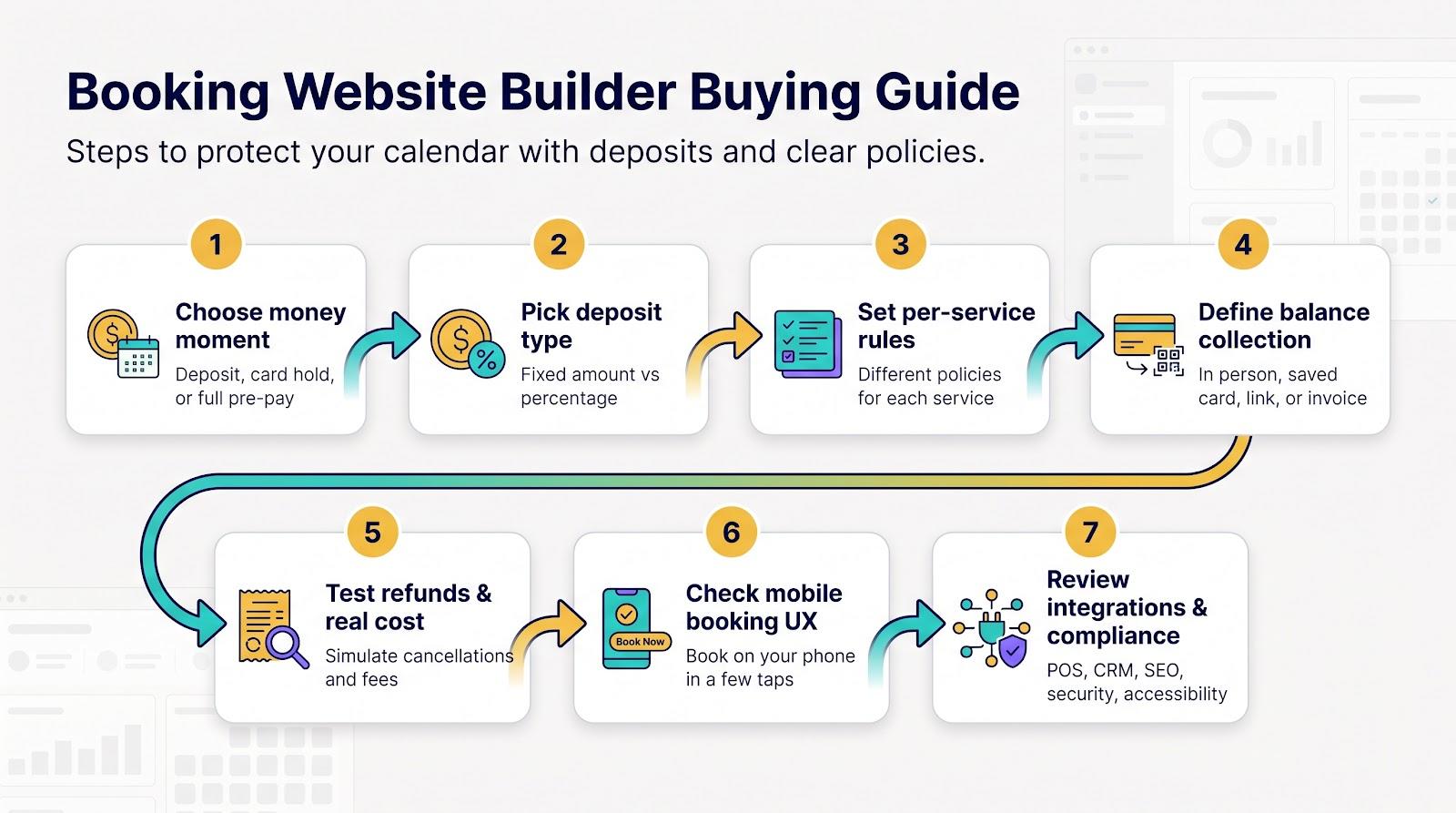
A feature checklist helps, but matching a tool to your real-world risk matters more. Work through the steps below and you will narrow dozens of platforms to the one or two that fit your service mix and tolerance for empty time slots.
Choose between deposit, card hold, and full pre-payment
Start with the money moment:
- Deposit: Client pays part now, the rest later. Good middle ground for high-ticket services.
- Card hold / no-show fee: No funds move at booking; you charge only if the client cancels late. Cards can fail if they are empty or cancelled, so use this when your no-show rate is already low.
- Full pre-payment: Client pays 100 % up front. Works best for classes with per-seat costs or travel-heavy services.
Pick the level that balances trust and friction for your audience, then decide on fixed versus percentage deposits.
Fixed deposit or percentage deposit?
- Fixed: One clear headline (e.g., “Book now for $25”). Ideal when prices cluster together.
- Percentage: Scales with ticket size (30 % of a $50 trim is $15; 30 % of a $400 colour correction is $120). Better for wide price swings.
Look for per-service rules
A single global rule fails when a $40 trim and a four-hour $400 treatment share the same policy. Platforms such as Square, Trafft, Amelia, and SimplyBook.me let you set deposits per service.
Check how the remaining balance is collected
Match the flow to your workflow:
- In-person swipe or tap
- Saved-card charge (Square, Acuity, Wix, Vagaro)
- Payment link (Amelia)
- Invoice (WordPress + WooCommerce / Stripe)
State the method clearly in the confirmation email; surprises create chargebacks.
Test refunds before launch
Cancel inside and outside the grace window, reschedule, and time each refund. Note whether the processor returns its fee on a refund; check each provider’s pricing page. Small deposits can lose money on double fees.
Calculate the real cost
Beyond the subscription and processor rate, add:
- Staff or location seats (e.g., Vagaro per workstation)
- SMS reminders (Acuity Standard and up)
- Marketplace commissions (Fresha 20 % on new clients)
- Refund or chargeback fees
- Optional apps (Shopify + Sesami + Downpay ≈ $48 per month before the base plan)
Run scenarios for 50, 200, and 1 000 bookings to see how costs scale.
Test the mobile booking experience
Follow an eight-step mobile check (buttons above the fold, Apple/Google Pay visible, policy readable, and so on). If any step fails, choose another builder.
Check POS, calendar, and CRM integrations
Native POS (Square, Fresha, Vagaro) keeps products, taxes, and tips on one ticket. Two-way calendar sync prevents double-booking. Automatic CRM tags save hours later.
Review SEO and local search tools
Unique service URLs, LocalBusiness schema, fast mobile load, and a live “Book online” button in your Google Business Profile turn searchers into confirmed bookings.
Review security and compliance
Hosted checkout keeps you out of PCI scope. If you store health data, look for a HIPAA BAA (Acuity Premium). Make sure policies, fees, and accessibility statements are clear; FTC junk-fee rules and the European Accessibility Act both reward transparency.
Follow this checklist and you will build a booking flow that protects revenue, delights clients, and keeps regulators satisfied.
Deposit policy and chargeback checklist
A deposit protects you only when the surrounding policy is clear, visible, and documented. Use this checklist to keep clients informed and to give card networks the evidence they expect during a dispute.
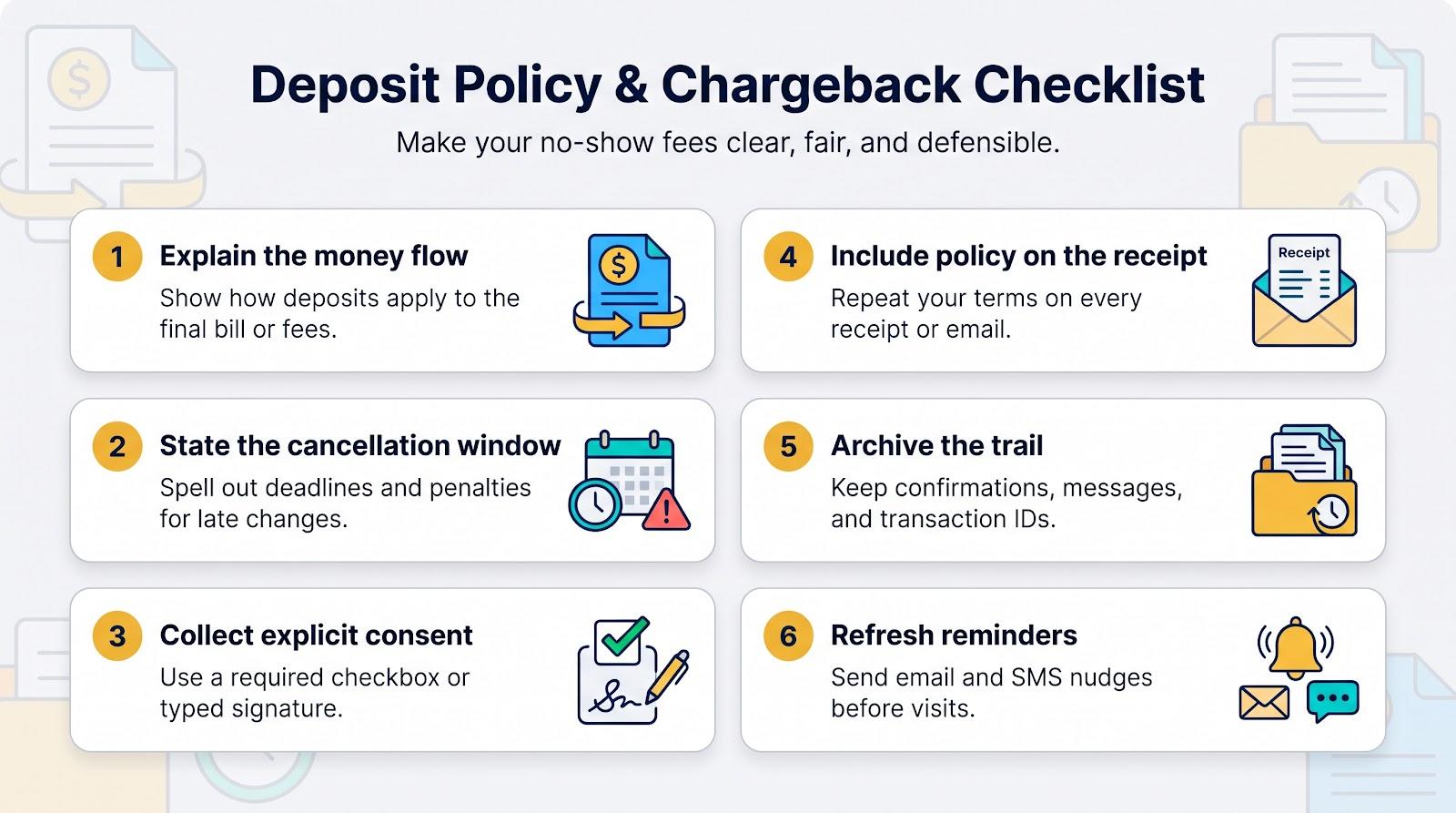
- Explain the money flow in plain language
Tell customers whether the deposit applies to the final bill, stands as a separate booking fee, or is forfeited on late cancellation. Place that sentence directly above the “Book” button and repeat it in the confirmation email. - State the cancellation window and penalty
Example: “Free changes up to 48 hours; deposit retained if cancelled inside 48 hours; full no-show fee charged after 15 minutes late.” Square lets you pair this rule with a flat or percentage no-show fee on a held card, according to Square’s help center. - Collect explicit consent
Add a required checkbox or typed signature before checkout. The timestamp and IP become your first line of evidence if a cardholder claims they never agreed. - Include the policy on the receipt
Platforms such as Square show your cancellation policy at the bottom of every confirmation email. If yours does not, paste the text into the “footer note” so the customer sees it twice. - Archive the trail
Keep records manually or automatically:- Appointment confirmation with policy text
- Client acknowledgement (checkbox log or signature)
- Transaction ID and amount
- Service description
- Messages about rescheduling or lateness
Stripe’s dispute guide lists each item as persuasive evidence for no-show fees.
- Refresh reminders
Email and SMS nudges can cut no-shows by roughly 25 % in healthcare studies; they work just as well for salons and consulting calendars. Send one at booking, another 48 hours out, and a final text the morning of the appointment with a single-tap reschedule link.
Do deposits really reduce no-shows?
Short answer: yes, but only when you combine them with reminders and clear policies.
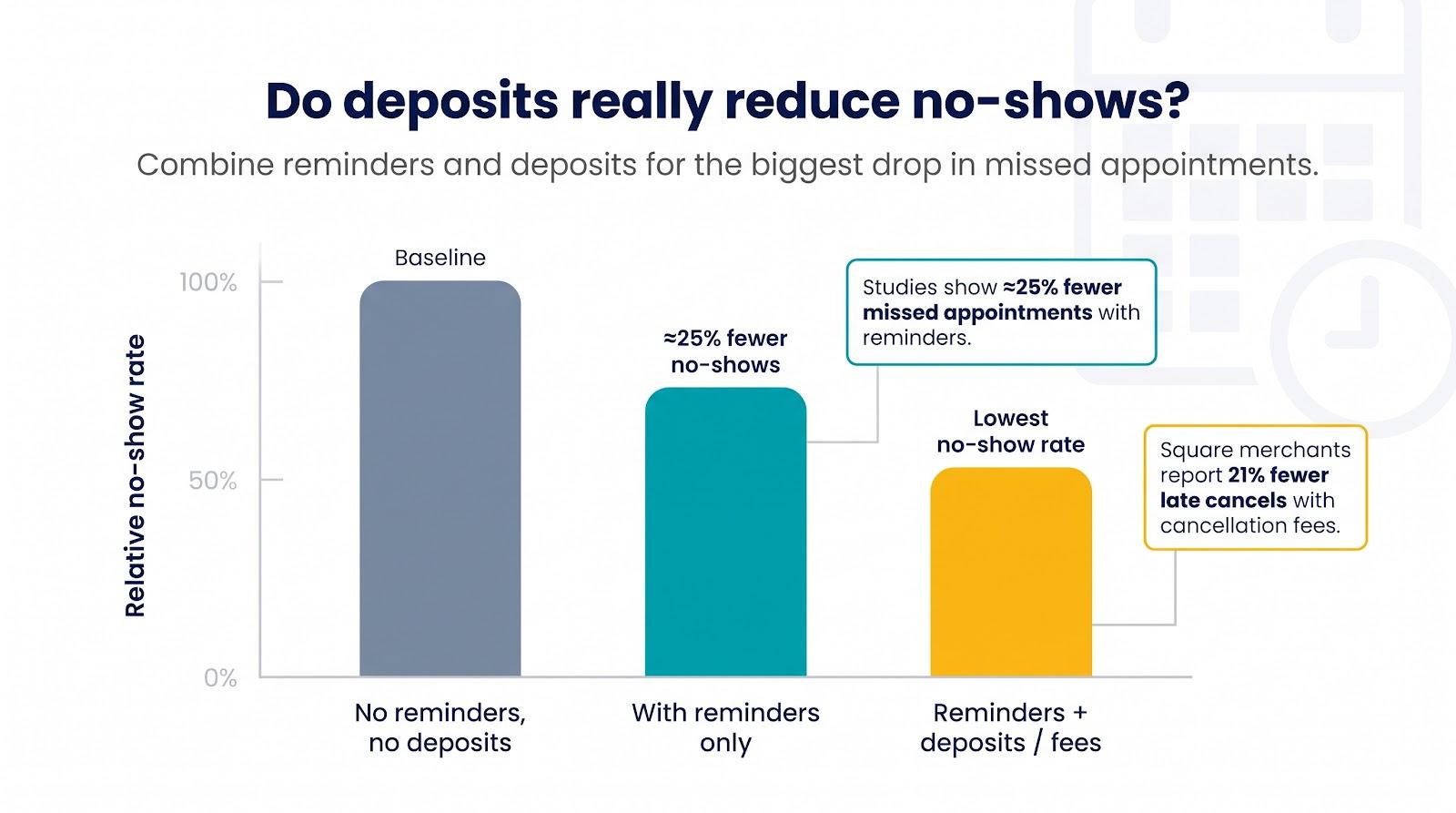
- A 2023 meta-analysis across healthcare settings found electronic reminders cut missed appointments by ≈ 25 % compared with control groups, according to research published in BMJ Open.
Use both levers together for the best results:
- Activate email and SMS reminders first; they are inexpensive and build loyalty.
- Add a fixed or percentage deposit on high-value or high-risk services.
- Keep a card on file or apply a no-show fee where local rules allow.
- Include a one-tap reschedule link in every reminder so clients shift instead of skip.
- Backfill sudden gaps with a wait-list feature or a quick social post.
Deposits alone will not end no-shows, yet paired with reminders and easy rescheduling they help turn empty slots into revenue you can rely on.
Future trends in booking websites
The line between “website” and “app” keeps blurring, as booking tools now surface in chat windows, voice assistants, and AI search summaries. Watch these shifts:
Voice- and chat-first booking
Expect real-time availability and deposits to appear directly inside chat and voice conversations.
Risk-based deposits
Flat rules feel blunt. Builders are adding logic that adjusts the required payment by ticket value, client history, or lead time. Square’s per-service deposit settings are an early example.
Wallet-first checkout
Apple Pay and Google Pay cut form fields in half and lift mobile conversion. More builders will place wallet buttons on step 1, not step 3, so clients see the total cost and policy before tapping “Pay.”
Instant, rules-based refunds
Manual refund dashboards are fading. Platforms are adding automatic partial reversals when a client cancels inside a configurable “goodwill” window, keeping trust high and inboxes calm.
Accessibility baked in
The European Accessibility Act took effect in 2025. Squarespace already publishes an accessibility statement, while slower competitors risk both regulatory and reputation damage.
Tighter PCI requirements
PCI DSS 4.0 introduced stricter script controls and multi-factor rules. Hosted checkout keeps most SMBs compliant by default, but plugin stacks that handle raw card data will need upgrades or face processor fines.
AI-generated custom flows
No-code builders such as Spark from Plus Docs, Inc., let you describe an idea in chat, and Spark assembles the site or web app with hosting, customer accounts, and payments built in, without code. As these AI tools evolve, traditional drag-and-drop builders will need to respond.
Adopt the right shift a few months early and you can save hours of manual policy tweaks and meaningful dollars on next quarter’s P&L.
Frequently asked questions
What is the best website builder for booking appointments?
Square Online + Square Appointments tops our list because it bundles deposits, card-on-file fees, POS, and competitive pricing in one login. If design freedom or percentage deposits matter more than POS, choose Squarespace + Acuity or Wix.
Can Wix take deposits for appointments?
Yes. Wix Bookings lets you charge a deposit amount you set, collect the full amount online, or save a card at checkout and charge a cancellation or no-show fee. It offers no percentage deposit, and Wix notes deposits are not yet available for all users, so check your dashboard before launch.
Does Square Appointments support partial deposits?
It does. You can set a flat or percentage deposit per service and, on the Plus plan, hold a card for a no-show fee, one reason Square ranks first.
Is there a free website builder with appointment deposits?
Square Appointments’ Free plan includes deposits; you pay processing fees on each payment. GoDaddy and Wix need paid plans for online payments, and salon platforms such as Fresha and GlossGenius start near $20 to $25 per month.
Should I take a deposit or keep a card on file?
Deposits collect real money up front and rarely fail. Card-on-file fees feel frictionless but can bounce if the client cancels the card before you charge it. Many owners use deposits for new or high-value clients and card holds for trusted regulars.
What percentage deposit should a salon charge?
Start around 20 % for services under two hours and 30 to 50 % for multi-hour colour or extension work. Adjust for local norms, material costs, and how hard it is to refill a missed slot.
Can I keep a deposit and still charge a no-show fee?
Yes, if your policy discloses both charges clearly and local consumer law allows it. Example wording: “Deposit is non-refundable; an additional 50 % no-show fee applies if you miss the appointment without notice.”
Will requiring a deposit scare clients away?
Platform data suggests serious clients still book. A deposit signals that your time is valuable and discourages casual window shoppers. Pair the rule with friendly reminders and an easy reschedule link.
Does taking deposits reduce no-shows?
Deposits give clients a reason to show up, and a 2023 healthcare meta-analysis found electronic reminders alone cut no-shows by about 25 %. Combine reminders with deposits for the best results.
What is the best booking builder for consultants and coaches?
Squarespace + Acuity blends professional design, percentage deposits and intake forms in one flow, ideal for businesses that sell expertise more than physical treatments.
Still have a question? Drop it in the comments and we will keep the answer bank growing.
Conclusion
Missed appointments drain time, money, and morale. The fix is a builder that secures a commitment up front (a percentage deposit, flat booking fee, or stored card) and pairs it with clear policies and a friction-free checkout.
- Square Online + Square Appointments offers multiple deposit options, an integrated POS, and a free entry tier.
- Squarespace + Acuity Scheduling delivers the strongest design freedom and the most flexible percentage deposits.
- Wix provides leading site-building features, although it has no percentage deposit and deposits are not yet live for every account.
- Fresha, GlossGenius, Trafft, Setmore, Amelia, SimplyBook.me, Vagaro, and GoDaddy cover nearly every other mix of risk profile and brand style.
Follow the buying-guide steps: select your money moment, apply per-service rules, test refunds, and complete the eight-step mobile check.
Choose the platform that feels tailored to your workflow, then publish, send reminders, and rest easy knowing every slot on your calendar is backed by real dollars and a paper trail your bank will respect.
That difference turns a busy calendar into a profitable one.

Vaayu is a full-time blogger and content writer with a passion for digital marketing. With years of experience in the industry, he shares practical tips, insights, and strategies to help businesses and individuals grow online. When not writing, Vaayu enjoys exploring new marketing trends and testing the latest online tools.