
How to Redirect 404 Error Page to Home Page with Rank Math SEO Plugin

In this particular article, I will tell you how you can easily redirect all 404 error pages to your website’s home page in just a few steps.
The main reason for redirecting your 404 error pages to home is to let your visitors stick around your blog.
You can do this without any plugin but for this, you need to do some coding in your website’s important files, if you don’t do it properly or you don’t know anything about coding then it might break the functionality of your website.
So I recommend you to use a plugin and follow this quick tutorial to do the same, and without further talks let me show you how you can do that.
First of all, you need to install the Rank Math SEO plugin from the WordPress plugin directory.
Just go to your WordPress Dashboard then in the Plugins section click on “Add New Plugin“, now from the right-hand side search bar search for “Rank Math SEO” and you will see the plugin with the title “Rank Math SEO with AI Best SEO Tools” and the author name by “Rank Math“.
So just click on the “Install” button and wait for it to get installed, after that, you need to click on the “Activate” button to activate it.
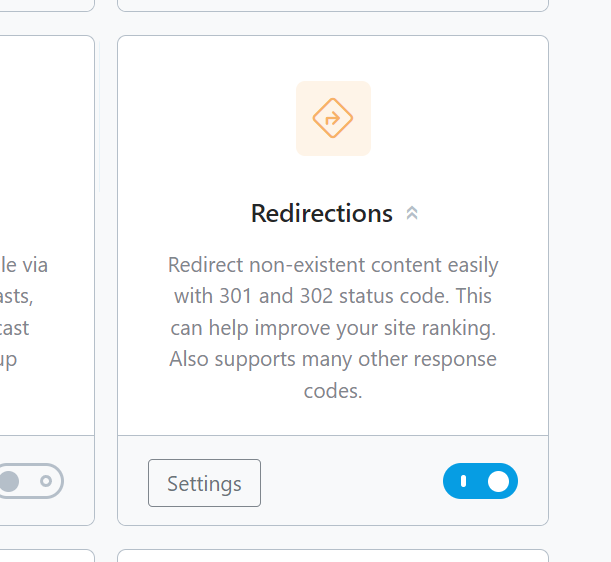
After installing and activating the Rank Math plugin you need to activate the redirection module from the Rank Math plugin’s “Dashboard” section.
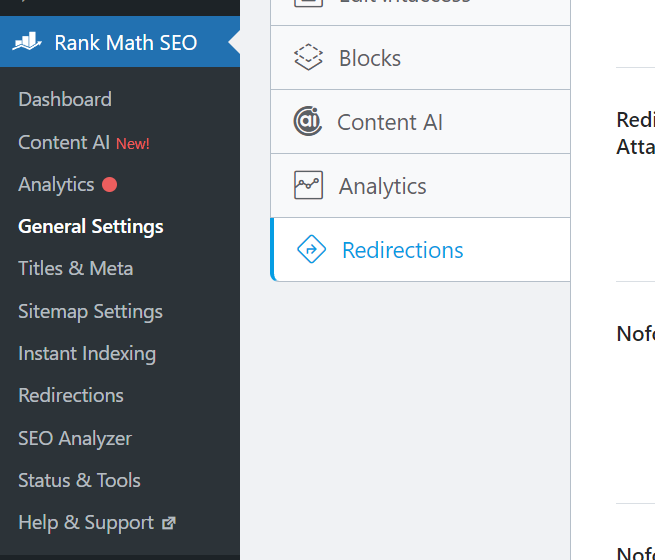
Then just click on Rank Math’s “General Settings” tab and then select the “Redirections” options.
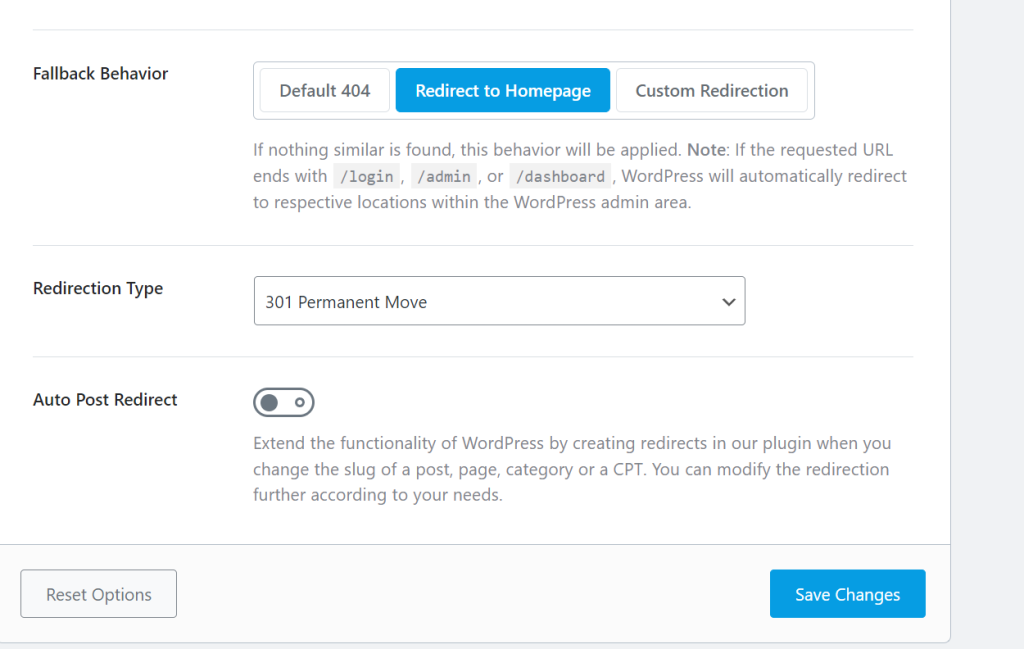
Now you need to scroll down and you will see an option Fallback behavior“.

Here you will get three options:
- Default 404
- Redirect to Homepage
- Custom Redirection
You need to select the 2nd one “Redirect to Homepage” and then at the bottom, you will see a button “Save Changes” to save the settings so just click on it.
Now you’re done, and whenever any visitors click on a broken or unknown URL of your website they will be redirected to the homepage of your website.
Below is a video where I have demonstrated all of the steps practically in Hindi language.
The Benefit of Redirecting 404 pages to the HomePage
Good User Experience: A 404 page may lead to a bad experience for your visitors, and redirecting them to the homepage may increase engagement on your site.
Decreases Bounce Rate: If your visitors land on any 404 page then they might hit back or close their browser, but if you redirect them to your home page then there are some chances that they will visit any other page in which they are interested.
So this will decrease your website’s bounce rate.
Improves SEO: It’s obvious that if search engine crawlers crawl your 404 error pages, it will negatively impact your website’s search engine rankings and may decrease your organic traffic.
Even though Rank Math SEO has a lot of features in its Free plan that are worth it, there are a lot more in its Pro plan that will surely help you boost your website’s traffic, here I have written a comparison guide on Rank Math Free vs Pro on my another blog, that will help to select the best plan for you.
Alright, That’s all in this quick tutorial I hope this will help you to redirect your 404 page to the homepage if it did then do share it with the one who needs to do the same.

⭐ Helping Bloggers in boosting their website & earnings with my awesome growth strategies since 2021. Digital Marketer | Content Creator | SEO Expert | Founder of Blogging Raptor & RaptorKit.