
How AI Image Generators Work and How to Get Better Results

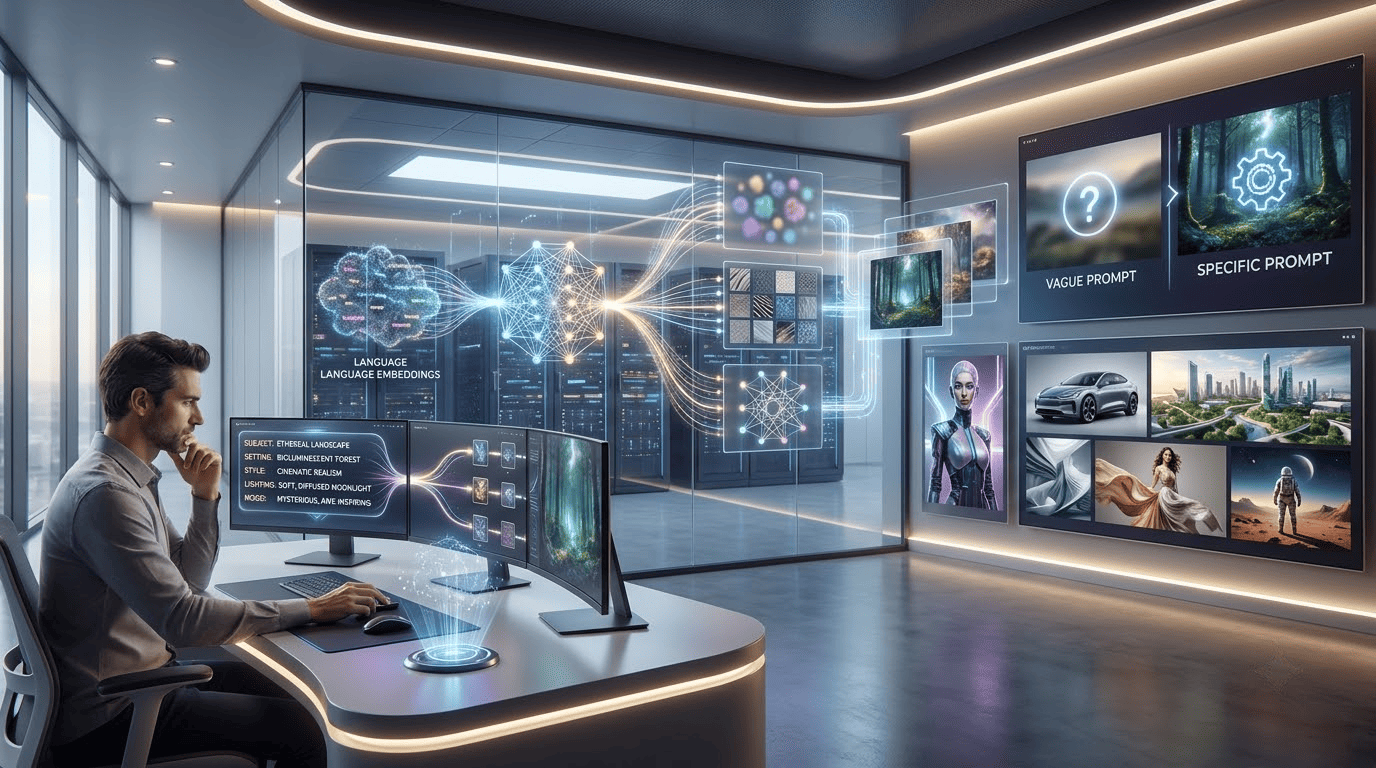
Creating images used to require photography equipment, graphic design software, illustration skills, or professional designers. Today, artificial intelligence has made visual creation more accessible, allowing users to turn simple ideas into images with written instructions.
Higgsfield, with its integrated AI Image Generator, can support creators, bloggers, marketers, students, businesses, and designers in exploring visual concepts and turning ideas into images without creating every element manually.
However, getting a useful result is not always as simple as entering a few words and clicking generate. The quality of the prompt, references, visual direction, and refinement process can all influence the final result
In this guide, we will explain how an AI Image Generator works, what affects the quality of generated images, how to write better prompts and how to improve your results through a practical workflow.
What Is an AI Image Generator?
AI Image Generator is software that makes use of artificial intelligence and machine learning algorithms to produce images based on the instructions given to the client. These instructions may contain a description of text of the image, reference image visual style, subject lighting, composition or any other artistic details.
For instance, a person may enter a message that describes a modern office space that has natural light as well as a wooden desk as well as indoor plants, and laptop. The system analyzes the information and creates visual representations of the desired scene.
In contrast to traditional design, where every element could need to be designed manually In contrast, an mage generator will create a basic visual idea automatically. This makes it ideal for brainstorming ideas, creating content marketing social media, presentations blogs, as well as others digital tasks.
How Does an AI Image Generator Work?
An AI Image Generator uses a machine learning model that’s been trained to recognize the connections between text and visual data. The model learns patterns of objects, environments, people, styles, lighting, compositions, and other visual attributes during training.
The system reads the language entered into the prompt and converts the concepts into a visual image. The user gives any instruction, the AI understands it and creates an image according to what the user said.
This is a basic process, but the technology of various systems can actually be more complicated. This generated image is not just a copy of one of the existing photos. Rather, the model learns patterns to produce a visual output from the information.
What Information Can You Give an AI Image Generator?
The more clearly you communicate the important parts of your idea, the easier it becomes to guide the generation process.
A prompt can include several types of information.
Subject
Describe the main object, person, character, or scene.
For example:
“A golden retriever sitting beside a window.”
Environment
Explain where the subject is located.
For example:
“A golden retriever sitting beside a window in a cozy modern living room.”
Visual Style
You can describe the overall appearance you want.
Examples include:
- Realistic photography
- Digital illustration
- 3D rendering
- Cinematic style
- Editorial photography
- Minimal illustration
- Fantasy artwork
Lighting
Lighting can significantly affect the appearance of an image.
You can specify:
- Soft natural lighting
- Studio lighting
- Golden hour lighting
- Dramatic shadows
- Evening lighting
Composition
You can describe how the subject should appear within the frame.
For example:
“Wide-angle composition with the subject positioned in the center.”
Providing this type of information gives an AI Image Generator more context about your intended result.
Why Do Some AI-Generated Images Look Better Than Others?
Not every generated image will have the same quality. Several factors can influence the result. The first is the quality of the prompt. A vague instruction can leave many creative decisions to the system.
The second is the complexity of the requested scene. A simple object may be easier to generate accurately than a crowded scene containing many interacting subjects. The third is the amount of visual direction provided.
If you have a particular style, composition, or environment in mind, explaining those requirements can make the result more closely aligned with your idea.
The fourth is refinement. The first generated image does not always need to be the final image. An AI Image Generator works best when you treat generation as an iterative process rather than expecting perfection from the first attempt.
How to Write a Better Prompt?
A good prompt does not necessarily need to be extremely long.
It needs to communicate the important information clearly.
Instead of writing:
“Make a nice office.”
You could write:
“Modern home office with a wooden desk, laptop, indoor plants, large windows, soft morning sunlight, clean interior, realistic photography.”
The second prompt provides information about the subject, environment, lighting, and visual style.
Start With the Main Subject
Tell the system what should be visible.
Add the Environment
Explain where the subject is located.
Describe the Appearance
Mention colours, materials, clothing, or other important visual characteristics.
Add Lighting
Explain whether the scene should look bright, dark, soft, dramatic, or natural.
Describe the Composition
Mention the camera perspective, framing, or subject placement when it matters.
Specify the Style
Tell the AI Image Generator whether you want a realistic photograph, illustration, cinematic scene, 3D render, or another visual approach.
This structured approach can make prompts easier to understand and refine.
How to Improve an AI-Generated Image?
Getting a better result usually requires more than one generation. Start with your basic concept and generate an initial image. Then examine the result carefully.
Look for problems such as:
- Incorrect objects
- Distracting backgrounds
- Poor composition
- Unwanted colours
- Inconsistent characters
- Incorrect proportions
- Missing details
- Unwanted visual styles
Once you identify the problem, modify the prompt accordingly. For example, if the background is too crowded, specifically request a clean and minimal background.
If the lighting is too dark, describe brighter natural lighting.
If the composition is too wide, request a closer camera perspective.
This process makes an AI Image Generator much more useful because each generation becomes an opportunity to improve the previous result.
How Can Reference Images Improve Results?
Text is not always enough to communicate a visual idea. A reference image can provide additional information about appearance, composition, environment, colour, or style. For example, if you want to create a character in different environments, a reference image can help communicate the character’s appearance more clearly.
An AI Image Generator can then use the reference together with written instructions to develop another visual direction. Reference-based workflows can be particularly useful when consistency matters.
How Can Higgsfield Support Reference-Based Workflows?
Higgsfield can easily integrate into a reference-based creative workflow by providing a wider canvas to explore concepts in the visual domain. A creator could begin with a reference drawing, and then experiment with other environments, compositions, or creative treatments.
For instance, the same character could be set in a cityscape, in nature, or a futuristic setting, and have a consistent creative vision. It is important to note that the reference should be used only as a guideline, and should not be used in place of creative judgment. The creator still has to determine if the created output is the desired project.
How Can You Create Consistent Images?
Consistency becomes important when you need several images for the same project. A single image may look good on its own, but a campaign can feel disconnected if every image has a completely different visual identity.
For consistent results, try to maintain important elements such as:
- Character appearance
- Colour palette
- Lighting style
- Environment
- Composition
- Visual style
- Brand identity
Using similar prompt structures can also help maintain a recognizable visual direction.
Higgsfield can be useful for creators who want to experiment with related visual concepts while maintaining continuity across a broader creative workflow. The goal is not necessarily to make every image identical. Instead, the images should feel like they belong to the same project.
How Should You Choose the Right Image Format?
The intended use of an image should influence its dimensions and composition. For example, a social media post may require a square or vertical format, while a website banner may require a wide horizontal composition. Before generating an image, consider where it will be used.
Common applications include:
- Websites
- Blog posts
- Presentations
- Advertisements
- Product pages
Choosing the intended format early can prevent unnecessary cropping and editing later.
A good AI Image Generator workflow therefore considers not only what the image should look like but also where it will be published.
How Can Creators Use AI Image Generators?
Content creators can use AI-generated visuals for many different projects.
For example, bloggers can create supporting illustrations for articles.
- Social media creators can experiment with visual concepts for posts and campaigns.
- YouTubers can explore thumbnail ideas or supporting graphics.
- Designers can use generated images as early-stage references.
- Writers can visualize characters, locations, and scenes.
The technology can therefore support both professional and personal creative projects. The important part is to use the generated image for a clear purpose instead of creating visuals simply because the technology is available.
How Can Businesses Use an AI Image Generator?
Businesses can use an AI Image Generator for different stages of content creation. Marketing teams can use an AI Image Generator to explore campaign concepts before moving into final production.
Small businesses can create early visual ideas without needing to photograph every possible concept. Ecommerce teams can experiment with lifestyle settings and product presentation concepts.
Content teams can develop illustrations for blogs, guides, presentations, and social media. However, businesses should be careful when generating visuals that represent real products or services.
AI-generated images may not accurately reproduce every product detail. Important commercial visuals should therefore be reviewed carefully and edited when necessary.
How Can Higgsfield Support Creative Experimentation?
Higgsfield AI creative suites can become useful when a project requires more than a single generated image. A creator might begin with an idea, generate several concepts, compare them, and then continue developing the strongest direction. This type of workflow can make experimentation more organized.
It also allows creators to think about the complete visual project instead of focusing only on individual images. For example, a marketing team developing a campaign might explore several visual directions before deciding which one should move into final production.
The human team remains responsible for the creative decisions, while AI helps expand the number of possibilities they can explore.
What Is a Simple Workflow for Better AI Images?
A practical workflow can be divided into several stages.
Define the Purpose
Decide why you need the image and where it will be used.
Describe the Main Idea
Identify the subject, environment, and important visual elements.
Add Creative Direction
Specify style, lighting, composition, and mood where necessary.
Generate the First Version
Use your prompt to create an initial visual.
Review the Result
Identify what works and what needs improvement.
Refine the Prompt
Change the specific details that are causing problems.
Create Additional Versions
Compare different results and select the strongest direction.
Complete the Final Editing
Add branding, text, cropping, colour adjustments, or other finishing touches when necessary.
This workflow makes an AI Image Generator part of a larger creative process rather than a one-click solution.
How Can You Get More Creative With AI Image Generation?
Once you understand the basic process, you can experiment with different creative approaches.
Try changing the camera perspective while keeping the same subject.
- Experiment with different lighting conditions.
- Place the same concept in different environments.
- Test realistic and illustrated styles.
- Create multiple versions of a campaign concept.
- Explore different compositions for different platforms.
This type of experimentation can help creators discover visual directions they may not have considered initially. Higgsfield can complement this approach by providing a broader environment for exploring different visual concepts and creative workflows.
What Are the Limitations of AI Image Generators?
Although an AI Image Generator can be useful, it is not perfect. Generated images may sometimes contain distorted objects, incorrect text, unusual proportions, or inconsistent details.
The technology can also struggle with highly specific requirements. For professional projects, human review remains important.
Creators should check whether the final visual is accurate, appropriate, consistent, and suitable for its intended purpose. AI should support the creative process rather than remove the need for judgment.
What Is the Future of AI Image Generation?
AI image generation is likely to become increasingly connected with other creative workflows. Instead of using separate tools for ideation, image creation, editing, character development, and visual storytelling, creators may increasingly work within connected creative environments.
Higgsfield reflects this broader direction by bringing different AI-powered creative capabilities into a wider workflow. As these technologies develop, an AI Image Generator may become less about producing one isolated image and more about helping creators develop complete visual concepts.
The biggest opportunity may be the ability to experiment faster while still allowing humans to control the creative direction.
Conclusion
An AI Image Generator can make visual creation more accessible by allowing users to turn written ideas and references into images. However, the quality of the final result depends heavily on how the technology is used.
Clear prompts, useful references, appropriate formats, consistent visual direction, and careful refinement can all improve the outcome. Higgsfield can fit into this broader creative workflow by giving users more opportunities to experiment with visual ideas and develop different creative directions.
The most effective approach is not to expect AI to produce a perfect image every time. Instead, treat the process as a combination of generation, evaluation, experimentation, and human creativity.
When used thoughtfully, an AI Image Generator can become a practical tool for bloggers, creators, marketers, designers, businesses and anyone who wants to turn ideas into visual content more efficiently.

Vaayu is a full-time blogger and content writer with a passion for digital marketing. With years of experience in the industry, he shares practical tips, insights, and strategies to help businesses and individuals grow online. When not writing, Vaayu enjoys exploring new marketing trends and testing the latest online tools.