
The Best Free AI Generator for Soulmate Sketch and Illustrations

Close your eyes for a moment. Picture the kind of person who feels like home, a warm smile, a calm presence, or maybe an energy that sparks adventure. You’ve imagined them before, haven’t you?
But no matter how vivid the image feels in your mind, it’s hard to capture it in reality. You scroll endlessly through profiles, take compatibility quizzes, and wonder if your “type” even exists.
Now imagine if you could turn that abstract feeling into a face, an actual portrait that reflects your preferences, your story, and your intuition.
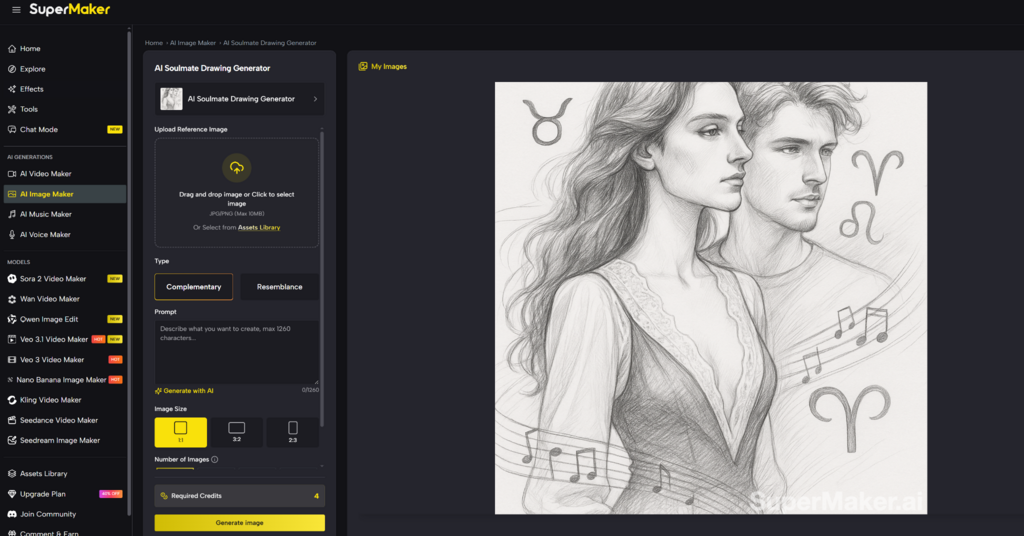
That’s the promise of the AI Soulmate Drawing, a tool designed to help you visualize the person (or pet!) who embodies your ideal connection. It’s not about predicting your future, it’s about creatively exploring what resonates with you.
I was skeptical at first, expecting something gimmicky. But the sketch I received stopped me in my tracks. It wasn’t just a drawing; it felt like a mirror to my preferences, capturing traits I didn’t even know I valued. The process was fun, but the result was surprisingly meaningful.
The Problem: Vague Preferences, Endless Searching
We’ve all experienced the frustration of trying to articulate what we want in a soulmate. You might have a general idea, someone grounded, adventurous, or kind, but when it comes to specifics, your preferences feel scattered. You try personality tests, dating apps, or filters, only to end up with results that feel random or generic.
This guessing game leaves you stuck in a cycle of uncertainty. What you need is clarity, a way to turn your fleeting thoughts into something tangible, something you can react to and refine.
The Solution: Soulmate Sketch Filter
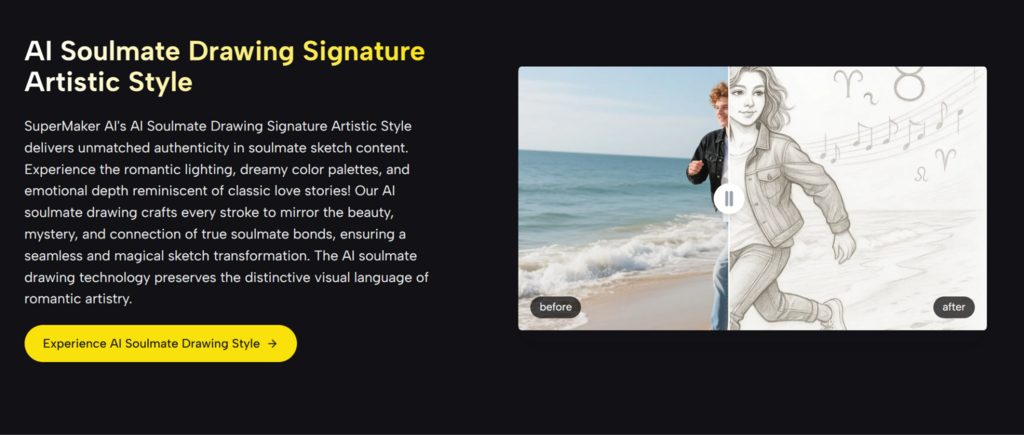
The Soulmate Sketch Filter bridges the gap between imagination and reality. Powered by advanced SuperMaker AI, it takes your inputs, photos, personality traits, and emotional cues, and transforms them into a custom portrait. The result isn’t just a picture; it’s a visual representation of your intuition, tailored to your narrative.
Think of it as a creative collaboration. Your photo sets the tone, your prompt provides the details, and the AI synthesizes it all into a single, cohesive sketch. The process is simple, but the impact is profound. You’re not just guessing anymore, you’re actively shaping your vision.
How It Works: From Idea to Portrait in Four Steps
Step 1: Start with a Photo
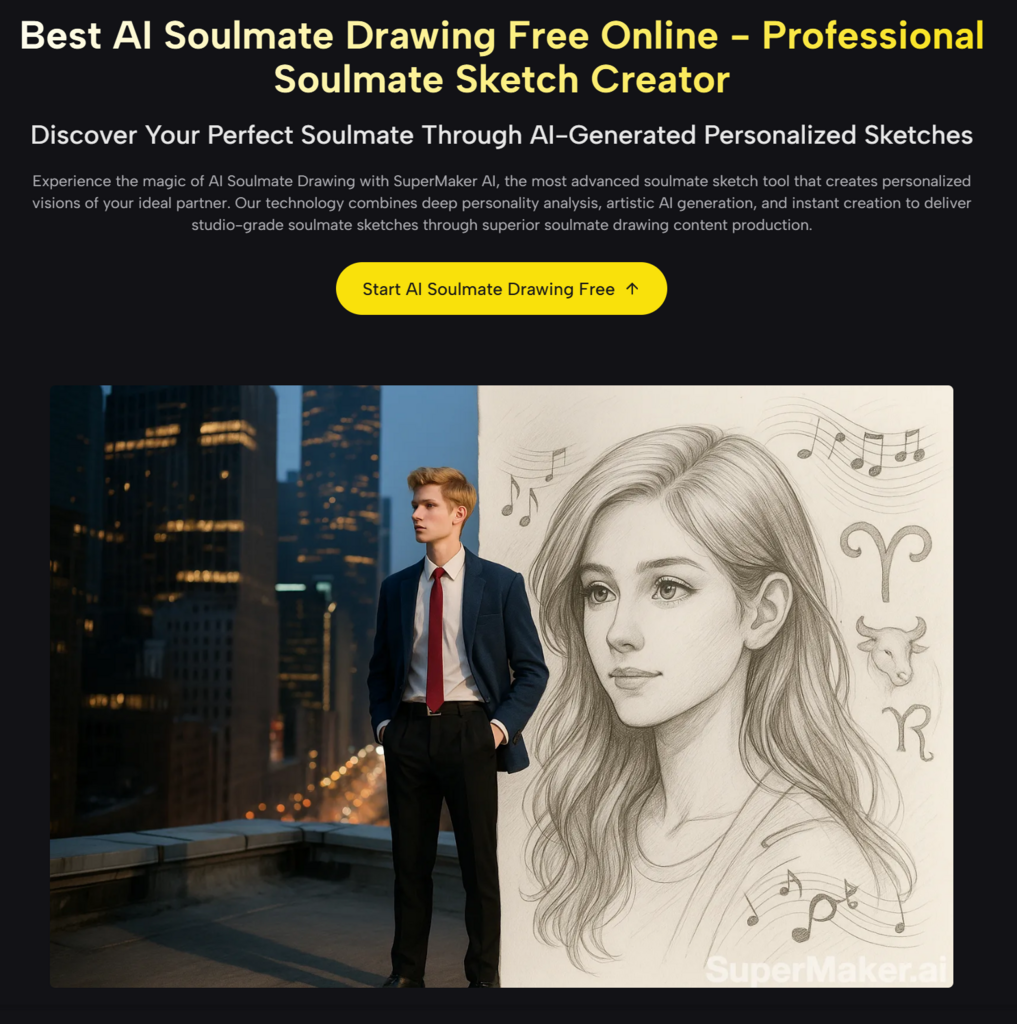
Upload a clear, well-lit photo of yourself or someone you have in mind. This gives the AI context for lighting, style, and overall mood.
Step 2: Define Your Preferences
Begin your prompt with basics like gender and personality traits. For example:
“My soulmate should be female. I love hiking, coffee shops, and vintage records. I imagine someone with bright eyes, a calm smile, and an adventurous spirit.”
Step 3: Add Emotional Layers
Focus on how you want the sketch to feel. Do you want warmth, curiosity, or serenity? Pair these emotional tones with specific visual cues like minimalist style, natural hair, or soft lighting.
Step 4: Refine and Personalize
The first sketch is just the beginning. You can tweak expressions, hairstyles, or overall vibes to get closer to your ideal image. Small adjustments, like changing “playful” to “grounded,” can make a big difference.
Why It Works: Your Intuition, Amplified
The Soulmate Sketch Filter stands out because it prioritizes emotional resonance over physical details. Instead of asking you to describe every feature, it encourages you to focus on the feelings you want the portrait to evoke. This emotional-first approach creates a sketch that feels personal and intentional.
Here’s how it translates:
| Emotion | Visual Cue |
| Warmth | Gentle smile, soft lighting |
| Adventure | Bright eyes, windswept hair |
| Serenity | Calm expression, minimalist styling |
By focusing on emotions first, the filter ensures the final sketch aligns with your deeper preferences, not just surface-level traits.
Why Choose Soulmate Sketch Filter Over Other Tools?
When compared to other generators, the Soulmate Sketch Filter offers a level of nuance and personalization that typical tools simply can’t match. Here’s how it stacks up:
| Aspect | Soulmate Sketch Filter | Traditional Generators |
| Input Understanding | Combines photo context and narrative prompts | Basic keyword matching |
| Customization | Gender, personality, style, emotional tone | Limited templates |
| Visual Quality | High-fidelity, expressive sketches | Generic or flat designs |
| Privacy | Confidential by default | Often unclear |
| Ease of Use | Free trial, no sign-up required | Account required upfront |
| Refinement Options | Easy adjustments and iterations | Limited editing capabilities |
These differences make the Soulmate Sketch Filter a standout choice for anyone looking to explore their preferences in a creative and meaningful way.
Creative Ways to Use the Soulmate Sketch Filter
The versatility of this tool means it’s not just for romantic exploration. Here are some real-world scenarios where the filter shines:
- Social Media Fun: Share your sketch with friends and watch the reactions pour in.
- Gift Idea: Surprise a loved one with a custom soulmate sketch; it’s thoughtful and personal.
- Self-Discovery: Experiment with different prompts to uncover what truly resonates with you.
- Pet Soulmate: Create a whimsical match for your furry friend, pure joy guaranteed.
- Group Activity: Generate sketches for your friends and compare results for a fun night in.
For me, the most memorable use was creating a soulmate sketch for free for my cat. The result? A sleek, playful feline with bright green eyes and a curious tilt of the head, an instant hit in our group chat.
Personal Experience: A Sketch That Felt Like Me
When I tried the Soulmate Sketch Filter, I wasn’t expecting much. But the portrait I received felt like it captured something deeper. My prompt included “grounded energy” and “quiet warmth,” and the sketch reflected those traits perfectly.
The eyes were kind, the smile unforced, and the overall vibe was calm yet confident. It wasn’t just a drawing, it was a reflection of what I value most.
Why Now? Because Clarity Matters
In a world full of endless options, having a visual reference is invaluable. The Soulmate Sketch Filter doesn’t just create a face; it creates clarity. Whether you’re refining your preferences, exploring new possibilities, or simply having fun, the process helps you move from vague ideas to a clear vision.

Vaayu is a full-time blogger and content writer with a passion for digital marketing. With years of experience in the industry, he shares practical tips, insights, and strategies to help businesses and individuals grow online. When not writing, Vaayu enjoys exploring new marketing trends and testing the latest online tools.