
9 Hosting Features That Matter Most for SEO Campaigns

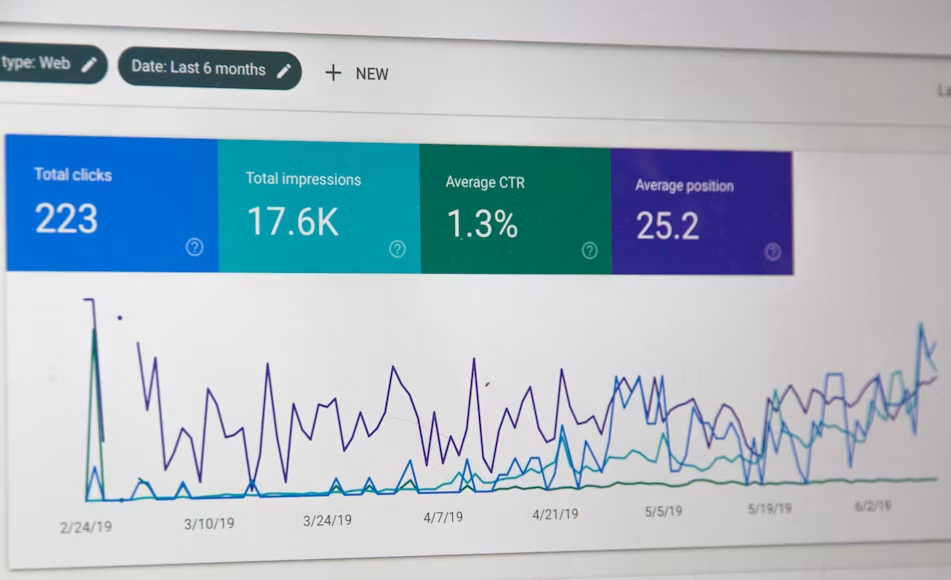
Most SEO strategies and growth plans center on content, backlinks, and keyword selection. However, when built on a weak infrastructure, even the best optimized strategy can fail.
This is because web hosting is the foundational engine that powers the entire technical SEO campaign.
Your server’s physical architecture and network configuration go to work each time bots and users crawl or visit your site. Remember, Core Web Vitals, which impact SEO, are directly tied to your host’s hardware capacity.
So, for sustainable organic performance, SEO teams must evaluate server infrastructure with a technical lens before choosing hosting providers. To help, this article reviews nine key hosting features that matter most for SEO campaigns.
1. Next-Gen NVMe Storage and High I/O Speeds
Modern CMS platforms like WordPress and Magento are dynamic and depend heavily on database operations to serve page requests.
Each time users or search engine crawlers access a page, the server must execute multiple SQL queries, check permissions, retrieve metadata, and pull content from disk storage.
Although these processes are simple, servers using legacy SATA SSDs often experience processing delays during high-concurrency requests. This is because this storage option usually experiences I/O challenges with increased concurrency.
However, NVMe drives use PCIe lanes directly. This offers higher IOPS and almost zero latency. This is good for your SEO campaign because lower storage latency translates to lower TFFB and improved LPC scores, metrics that Google evaluates when assessing site performance.
2. High SLA Uptime and Server Redundancy
Many hosting providers offer up to 99% uptime. While this looks good on paper, it still permits up to 3.6 days of total annual downtime, which is enough to seriously harm an active SEO campaign.
In contrast, providers with enterprise-level 99.99% Service Level Agreement (SLA) reduce annual downtime to around 52 minutes!
Wondering why this is critical for SEO success?
Remember, search engine crawlers visit websites based on an allocated crawl budget. If your site is always accessible, your crawl budget increases, leading to faster indexing of your pages.
On the other hand, if the bots frequently encounter internal server errors and timeouts, it reduces your crawl budget (frequency).
As a result, it takes longer to index your pages. Repeated outages can even lead to de-indexing of critical pages that drive engagement and revenue.
3. Dedicated Server Resources
In traditional shared hosting, multiple sites draw from a pool of server resources. Under this setup, if one website experiences a traffic spike, it hogs the shared resources, starving other users of vital resources.
This is called the ‘noisy neighbor’ effect, and it can cause performance degradation on your site since the available processing power for your site drops. The noisy neighbor effect often increases latency, that hurt your INP and TFFB metrics.
A dedicated virtual environment eliminates this challenge by assigning isolated and dedicated CPU and RAM allocations to your installation. This setup ensures that your site retains peak technical responsiveness despite the internal load and external traffic.
If you’re running resource-intensive platforms or background SEO tools, Bacloud’s SEO VPS Hosting provides the isolated server architecture that allows you to maintain guaranteed processing throughput under any load.
4. Strategic Data Center Location
Network latency is primarily driven by the physical distance between a web server and the user making the request. Even with caching options, the initial HTML document request must still hit the origin server.
Every extra mile from the server adds to the time taken to initiate a handshake and deliver data back to the browser.
To reduce distance and Round-Trip Time (RTT), choose a provider that allows you to host your site in a data center close to your primary target. This reduces latency and improves your page load speeds.
It delivers faster TFFB to localized search engine crawlers, improving user experience for regional SEO campaigns.
5. Clean & Dedicated IP Addresses
Shared hosts often assign a single IP address to hundreds of sites on their server. If a neighboring domain distributes malware or runs email spam campaigns, firewalls and security engines may flag or even blacklist that IP address. Unfortunately, this affects all websites using that address.
For a safe and sustainable SEO campaign, it’s essential to secure a dedicated IP address. This guarantees that your site operates on a clean IP.
It also protects your infrastructure from neighbor-induced blacklist, secures your SSL/TLS handshake, and ensures unrestricted access for search engine crawlers to improve indexing, visibility, and accessibility.
6. Automated Backup & Recovery
Unmanaged downtime, however brief, or widespread errors caused by failed CMS updates or security breaches, can easily affect organic rankings. If search engine crawlers encounter missing assets or persistent errors during a compromised state, your indexation will drop significantly.
To prevent this, ensure your infrastructure supports automated, off-site multi-tier backup. This system minimizes both Recovery Point and Time Objectives (RPO and RTO).
By enabling snapshots and automated backups, you can roll back to a clean and functional state after a technical mishap with a single click. This prevents prolonged downtime and indexation loss to protect your SERP positions.
7. Robust Security and Firewalls
Security is also critical for SEO champions. DDoS attacks and aggressive bot scraping deplete server CPU and RAM, leading to server crashes and 503 errors.
When crawlers encounter persistent 503 errors, they back off crawling to avoid crashing the server. This halts new content indexation, which can drop your ranking pages.
Pairing an enterprise-level DDoS protection with a smart Web Application Firewall (WAF) controls these threats before they hit your origin server. It removes bad traffic early, keeping your hosting environment online, secure, and responsive for bots and real visitors.
8. Full Root Access for Technical SEO Optimization
To keep the environment stable for multiple users, managed hosts strictly restrict admin access on shared hosting. However, to optimize a technical SEO campaign, you need full administrative access to optimize your server stack for speed and crawlability.
This is why full root access is an important hosting feature for SEO campaigns. It allows you to install high-performance server-side caching layers and enable HTTP/3 protocols.
It also allows you to run server-side automation scripts natively without third-party plugins. These features help optimize your web speed and performance for better results.
9. High-Bandwidth Port Speeds & Unmetered Traffic
A server’s network port speed determines how much data it can transmit to requesting clients concurrently. When a search engine crawler executes a deep crawl on a large site with thousands of concurrent visitors, a narrow interface can be quickly saturated.
This congestion can cause packet loss, increased RTT, and dropped connections. You can prevent this by opting for a server with 1Gbps+ port speed and unmetered bandwidth.
These features guarantee that aggressive indexing and viral traffic spikes can occur simultaneously without throttling performance or affecting user experience.
Although all these features highlighted above are important, their impact is not equal. Therefore, the table below offers an impact matrix, showing the impact level of each feature and its affected outcome.
|
Hosting Feature |
Primary SEO Metric / Outcome Affected |
Impact Level |
|---|---|---|
|
NVMe SSD Storage |
Time to First Byte (TTFB), Largest Contentful Paint (LCP) |
High |
|
99.99% SLA Uptime |
Crawl Budget Efficiency, Indexing Continuity |
Critical |
|
Dedicated CPU & RAM |
Server Stability Under Load, Interaction to Next Paint (INP) |
High |
|
Geographic Data Center Proximity |
Network Latency, Regional Round-Trip Time (RTT) |
Medium-High |
|
Dedicated IP Address |
Subnet Reputation, Spam-Flag Prevention |
Medium |
|
Enterprise DDoS & WAF Protection |
Server Availability, 503 Service Error Prevention |
High |
|
Full Root / Admin Access |
Custom Caching (Redis/Memcached), HTTP Headers |
Medium-High |
|
1Gbps+ Network Port Speeds |
High-Concurrency Throughput, Asset Delivery |
Medium |
|
1Gbps+ Network Port Speeds |
RPO/RTO Optimization, 404 Prevention |
High |
Conclusion
Technical SEO is only as effective as the infrastructure supporting it. While keywords, link building, and content drive visibility, your hosting infrastructure determines your site performance and user retention.
A reliable infrastructure helps from lowering TTFB to preventing downtime, serving as an active foundation for search engine performance. Focus on the features, especially those outlined when evaluating your hosting environment for an upgrade.
This ensures that you eliminate hidden technical bottlenecks and maximize crawl efficiency to maintain a competitive advantage in SERPs.
FAQs
1. Does web hosting directly affect Google search rankings?
Yes, it does. Although web hosting is not a direct ranking factor, the infrastructure your host provides directly affects critical signals, including Core Web Vitals, security, and crawlability. So, poor hosting can cause performance issues that reduce organic rankings.
2. How does frequent server downtime affect crawling and indexation?
When bots encounter repeated 503 errors, it slows down its crawl rate to avoid crashing your server. If the downtime persists, it may drop the inaccessible pages from the index completely to avoid serving broken links to browsers.
3. Can migrating to a new web host cause a drop in organic traffic?
Yes, if the hosting migration is handled poorly. It often happens when DNS propagation takes too long or when files are misconfigured. However, when done properly with pre-launch testing and matching server specs, migrating to a faster host only improves organic performance over time.

Vaayu is a full-time blogger and content writer with a passion for digital marketing. With years of experience in the industry, he shares practical tips, insights, and strategies to help businesses and individuals grow online. When not writing, Vaayu enjoys exploring new marketing trends and testing the latest online tools.