
Choosing the Fastest Business Internet in Knoxville, Tennessee: 4 With Local Techs

“Fastest” business internet in Knoxville depends on your exact address. One downtown block can order multi-gig fiber; the next may wait for construction. Contracts, backup links, and local support also shape what “fastest” really means for a business.
In this guide (plans checked on October 2, 2026), we compare four providers by published speed, backup options, support, and value, so you can choose the right line, not the loudest ad.
Quick answer: the four strongest Knoxville business-internet choices

We reviewed providers with an official Knoxville business page or Knoxville service listing and a published business tier of at least 300 Mbps. Four stood out:
- AT&T Business Fiber offers the fastest published shared tier, up to 5 Gig with matching upload and download speeds, and includes 5G wireless backup on 1 Gig and faster plans.
- KUB Fiber, run by the Knoxville Utilities Board, sells symmetrical business plans up to 2.5 Gbps with a local call center.
- WOW! Business sells cable plans up to 1.2 Gig with a low entry price, local Knoxville coverage, and an optional wireless backup.
- Comcast Business offers cable plans up to 2 Gig, a 5-year price lock, and a wireless backup add-on.
Before you price-shop, run your exact suite through each provider’s address tool, because coverage can change from building to building. Start with WOW!’s Knoxville, TN business internet page, then repeat the check on the other three sites.
|
Provider |
Top published tier |
Connection |
Advertised starting price |
Backup option |
|---|---|---|---|---|
|
AT&T Business Fiber |
5 Gig (symmetrical) |
Fiber |
$60/mo. for 300 Mbps online |
5G backup on 1 Gig and up |
|
KUB Fiber |
2.5 Gbps (symmetrical) |
Fiber |
$85/mo. for 500 Mbps |
Redundant feeds on Custom Connect Pro |
|
WOW! Business |
1.2 Gig |
Cable |
$65.99/mo. for 600 Mbps (1-year term) |
Wireless Internet Backup |
|
Comcast Business |
2 Gig |
Cable |
Address-based |
Wireless Connect |
Note: prices are the providers’ advertised rates on October 2, 2026, before taxes, fees, and equipment.
How we ranked Knoxville business-internet providers
Raw bandwidth is only one part of keeping your office online. Our scoring model weights six factors that managers ask about before they approve a service order.
|
Criterion |
Weight |
Why it matters to Knoxville businesses |
|---|---|---|
|
Maximum advertised speed and upload symmetry |
25 percent |
Large media files and cloud backups stall on slow uploads; symmetrical fiber removes that bottleneck. |
|
Reliability and continuity safeguards |
20 percent |
A written SLA, outage credits, or built-in wireless failover make uptime more than a promise. |
|
Local or on-site technical support |
20 percent |
Support that can send a Knoxville technician can cut downtime. |
|
Value and cost per Mbps |
15 percent |
List prices show which provider delivers more bandwidth per dollar. |
|
Knoxville-verified availability |
10 percent |
A local ZIP list or address tool shows a truck can reach your suite. |
|
Contract and installation flexibility |
10 percent |
Month-to-month terms and clear install fees help a growing firm avoid lock-in. |
AT&T Business Fiber: best for maximum standard speed
Published plans and technology
AT&T Business Fiber lists 300 Mbps, 500 Mbps, 1 Gig, 2 Gig, and 5 Gig tiers. Online prices are $60, $100, $140, $185, and $285 per month, plus taxes and fees, and bundling an eligible AT&T Business wireless plan lowers them.
AT&T says its fiber delivers up to 5 Gig where available in Knoxville; a single device tops out at about 4.7 Gbps on the 5 Gig plan.
Reliability, backup, and installation
Plans at 1 Gig and above include a Wi-Fi gateway with 5G wireless internet backup, and LTE may be used depending on signal. The backup does not work during a power loss, so put the gateway on a UPS. Business Fiber has no annual contract, and the $99 installation fee is waived when you order 300 Mbps or faster online.
AT&T fits teams that move large files and want the fastest published shared tier with a backup built in.
KUB Fiber: best for local service and symmetrical speed
Business plans and pricing
KUB sells three business plans, all with symmetrical upload and download speeds, unlimited data, and low latency:
- Business Connect: 500 Mbps for $85 per month
- Gig at Work: 1 Gbps for $150 per month
- The Gig 2.5 at Work: 2.5 Gbps for $225 per month
Local ownership and upgrades
KUB is Knoxville’s public utility, so support goes through its local call center. Businesses that need more can ask about Custom Connect Pro, which includes installation, dedicated service, redundant feeds, and managed Wi-Fi, with pricing by quote.
The Smart Gig at Work managed Wi-Fi add-on costs $20 per month.
KUB suits teams that want fast symmetrical fiber and a local provider, if the fiber build has reached their address. Check KUB’s construction rollout map first.
WOW! Business: best value for download-heavy offices
Knoxville plan lineup and pricing
WOW! Business lists 300 Mbps, 600 Mbps, and 1.2 Gig plans in Knoxville. The 600 Mbps plan starts at $65.99 per month, and 1.2 Gig costs $5 more when you sign up for 300 Mbps or more on a one-year term.
Taxes, fees, and equipment charges are extra. Plans of 300 Mbps and up get a free modem for three months, free installation, a $10 monthly discount with a phone bundle, and a 60-day satisfaction guarantee. WOW! will not raise your rate during your contract period.
WOW!’s Knoxville business service runs over cable, so uploads are lower than downloads. If your team uploads large files all day, compare AT&T or KUB fiber at your address.
Coverage and support
WOW! Business serves Downtown Knoxville, Bearden, Cedar Bluff, West Knoxville, Farragut, Powell, and nearby communities, and lists ZIP codes 37922, 37923, 37919, 37918, 37917, 37921, 37912, 37909, 37932, 37934, 37849, and 37931. Support is U.S.-based and available 24/7, and WOW! states 99 percent network reliability.
Continuity and extras
- Wireless Internet Backup: an expert-installed Cradlepoint E100 router with dual SIM cards switches to LTE automatically when the wired line drops, with an optional battery that keeps the router online for 8 to 16 hours.
- Whole-Business WiFi: starts with two eero devices, and you can add more.
- Static IP and hosted VoIP are also available.
If you download far more than you upload and sit inside WOW!’s footprint, the 1.2 Gig plan gives gig-class downloads at a low price, with an automatic backup option.
Comcast Business: best for a long price lock and bundled security
Comcast Business lists 300 Mbps, 500 Mbps, Gigabit Extra, and 2 Gig plans on its small-business page. Its 5-Year Price Lock Guarantee keeps your service rate for five years on qualifying packages, with a one-year contract.
Equipment and SecurityEdge security are included, and Wireless Connect adds a wireless backup for when the wired line goes down. Prices depend on your address, so request a quote for your building.
Comcast fits offices that want predictable pricing for years, bundled security, and a backup from the same vendor. Ask about dedicated internet if you need a written SLA.
How much speed does a Knoxville business really need?
Start with the busiest minute of your workday, then size for that rather than a marketing headline. A quick rule: add the simultaneous download demand of each active device, then pad by 25 percent for growth and software-update bursts.
Upload capacity should match download only when large files move daily; otherwise asymmetrical cable often meets the mark.
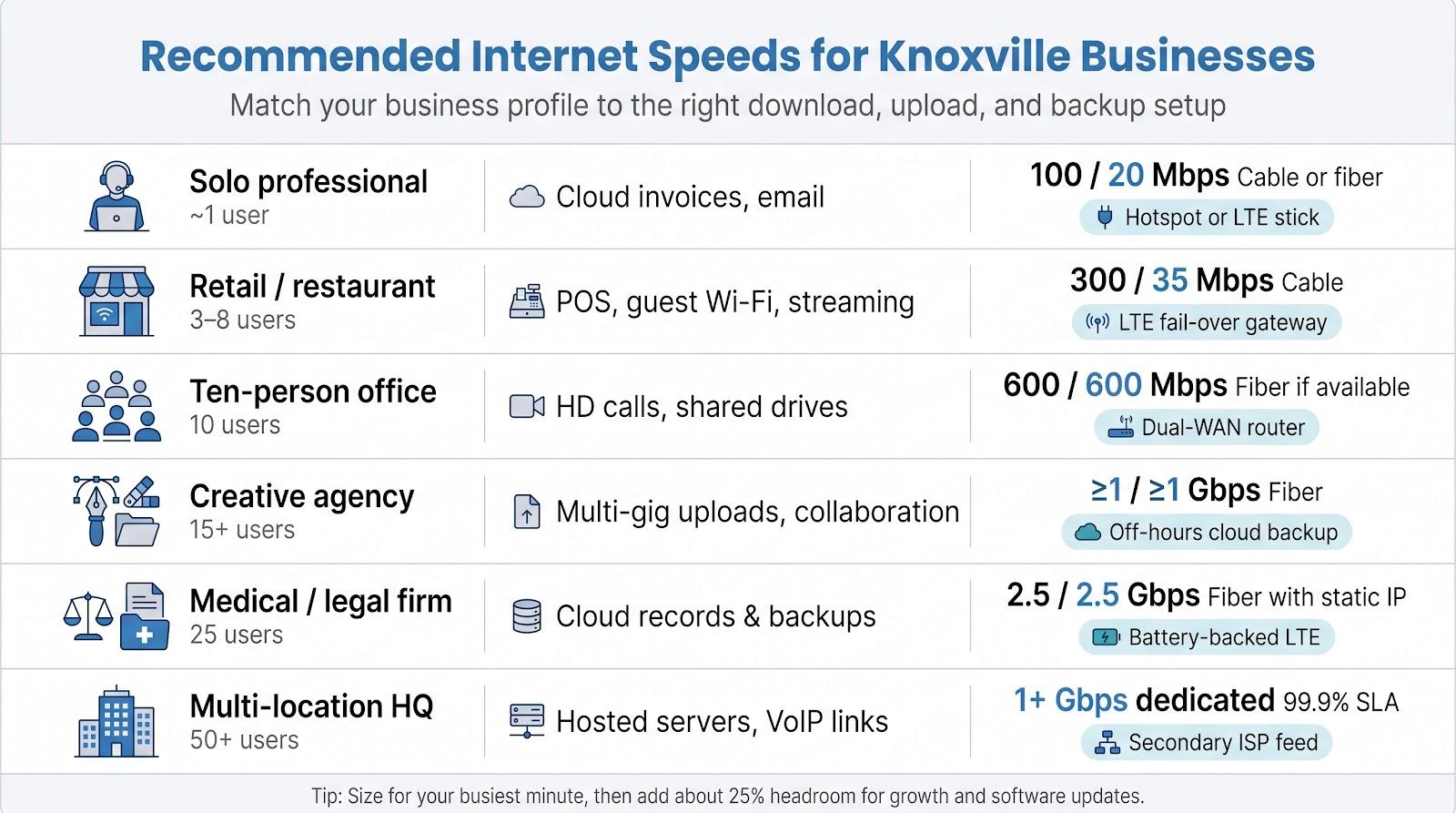
|
Business profile |
Typical users |
Heavy online tasks |
Recommended speed (down / up) |
Backup tip |
|---|---|---|---|---|
|
Solo professional |
1 |
Cloud invoices, email, small sync |
100 Mbps / 20 Mbps cable or fiber |
Hotspot or LTE stick |
|
Retail / restaurant |
3-8 |
POS, guest Wi-Fi, music streaming |
300 Mbps / 35 Mbps cable |
LTE fail-over gateway |
|
Ten-person office |
10 |
HD video calls, shared drives a |
600 Mbps / 600 Mbps fiber if available |
Dual-WAN router |
|
Creative agency |
15+ |
Multi-gig uploads, real-time collab |
≥1 Gbps / ≥1 Gbps fiber |
Cloud backup on off-hours |
|
Medical/legal firm |
25 |
Cloud EHR or case files, encrypted backups |
2.5 Gbps / 2.5 Gbps fiber with static IP |
Battery-backed LTE |
|
Multi-location HQ |
50+ |
Hosted servers, site-to-site VoIP |
1 Gbps+ dedicated circuit, 99.9 percent SLA |
Secondary ISP feed |
Double the download target if every workstation streams HD video at once, and match upload only if your team pushes large files all day. A dependable 300 Mbps link with automatic backup often serves a small office better than a faster line with no backup.
The reliability terms most comparison sites miss
A banner that says “99 percent reliable” sounds good until you check what it covers. Reliability promises sit on a four-rung ladder, and only the top rung is a contract.
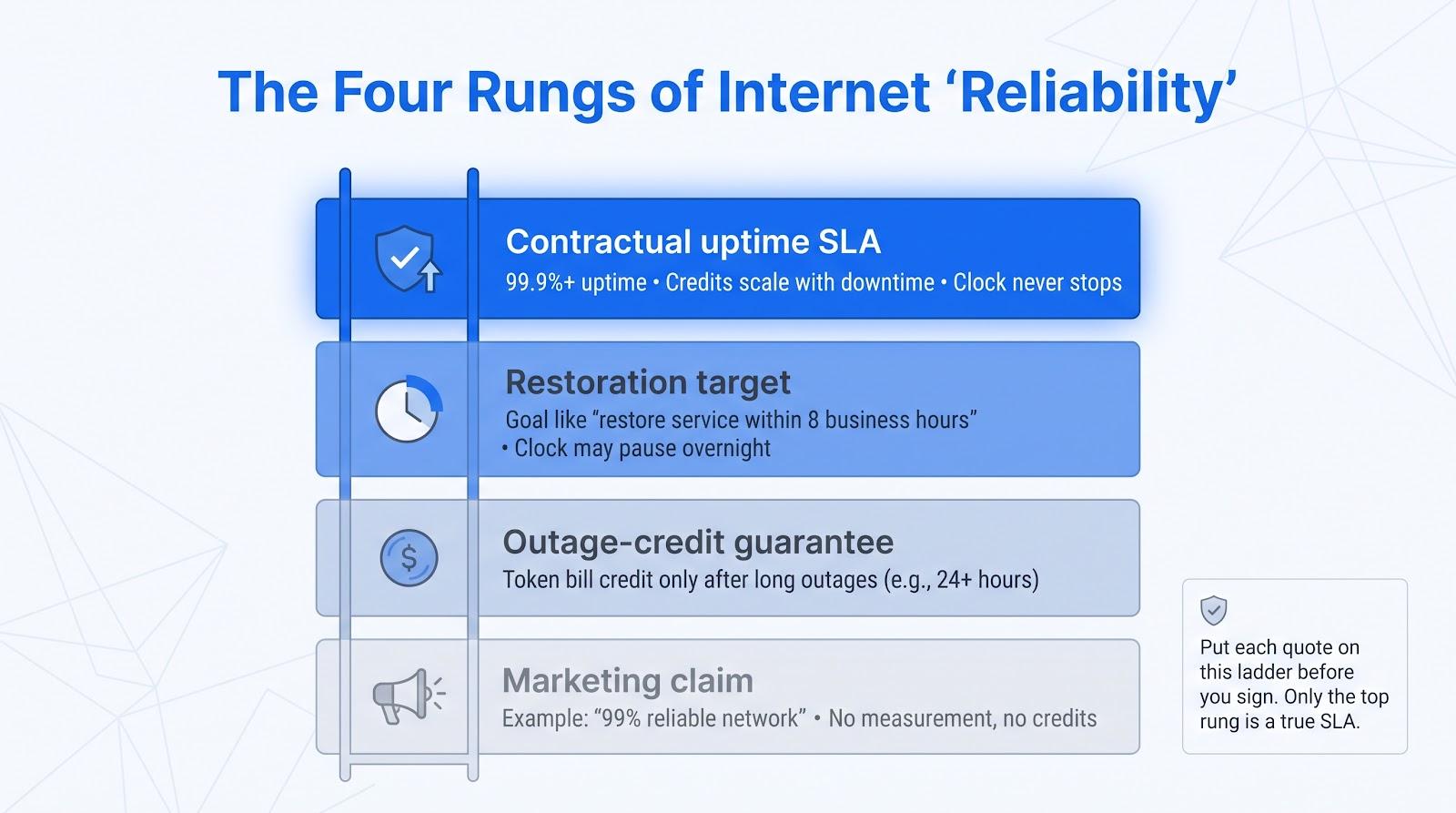
|
Promise type |
Typical wording |
Does the provider pay a credit? |
Does the clock pause? |
|---|---|---|---|
|
Marketing claim |
“99 percent reliable network” |
No |
Not applicable |
|
Outage-credit guarantee |
“One-day credit after a 24-hour interruption” |
Yes, but small |
Yes |
|
Restoration target |
“Restore within eight business hours” |
Sometimes |
Often (nights and weekends paused) |
|
Contractual uptime SLA |
“99.9 percent uptime, 15-minute credit increments” |
Yes, tiered |
No |
How the ladder works:
- Marketing claim. Measures nothing, promises nothing, pays nothing.
- Outage credit. You get a token credit only if downtime exceeds a long threshold—fine for multi-day blackouts, useless for a two-hour lunch rush.
- Restoration target. Sets a repair goal (for example, eight business hours) that may pause overnight.
- Contractual SLA. Sets a measured uptime level in writing. Credits rise the longer the circuit stays down, and the clock never stops.
Contractual SLAs usually come with dedicated-internet products, while standard small-business broadband tiers sit on the lower rungs.
When you compare quotes, place each plan on the ladder first. A café that just needs point-of-sale terminals may live with an outage-credit guarantee. A healthcare office tied to cloud EHR should insist on a written SLA.
Knoxville availability and installation checklist
Confirm these seven details before you commit. One missed step can delay service for weeks.
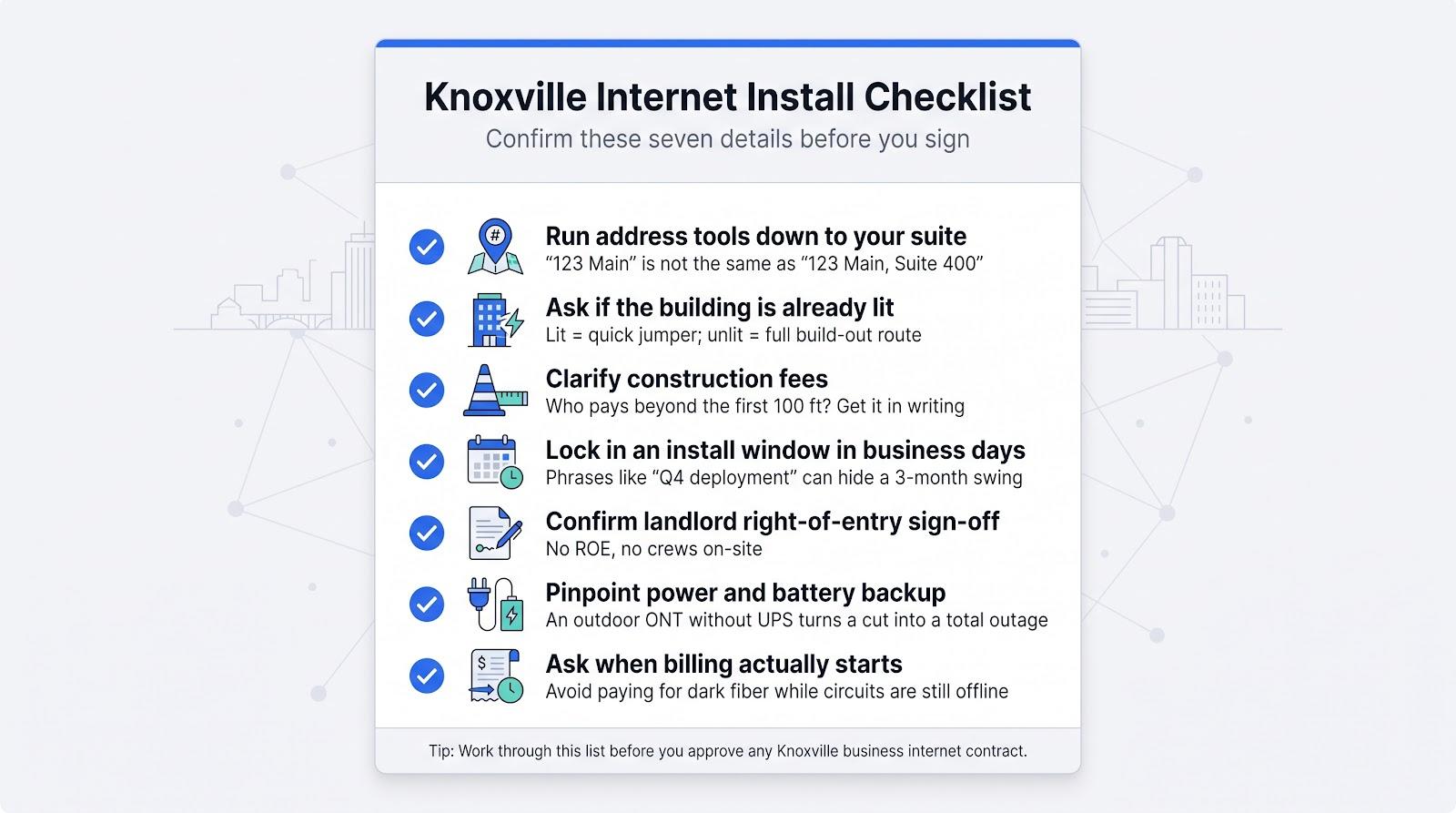
- Run every provider’s address tool down to the suite level. “123 Main” is not the same as 123 Main, Suite 400.
- Ask whether the building is already lit. A lit building needs only a jumper; an unlit one needs a full build-out. Request a written path that shows conduit runs, wall penetrations, and drill points.
- Clarify construction charges. Ask who pays for any new fiber or cable run to your suite, and get the quote in writing.
- Lock in an installation window in business days. “Q4 deployment” can hide a three-month swing.
- Confirm landlord permissions. Many providers require a signed right-of-entry form before they will schedule crews.
- Pinpoint power and battery backup. An outdoor ONT without a local UPS turns a fiber cut into a total outage.
- Ask when billing starts. Some invoices drop when gear ships, not when packets flow—avoid paying for dark fiber.
Work through this list, and you’ll know, before you commit, whether service will go live next week or sit in permit limbo until spring.
Decision guide: which Knoxville provider should you call first?
Work through these four questions in order; the first Yes shows where to request a quote.
|
Question |
If yes, start with |
Why this fit matters |
|---|---|---|
|
Do you need the highest symmetrical speed on a shared business plan? |
AT&T Business Fiber |
Up to 5 Gig, plus built-in 5G backup on 1 Gig and faster tiers |
|
Is your address on KUB’s fiber network, and is local service your top priority? |
KUB Fiber |
500 Mbps to 2.5 Gbps symmetrical from the local utility |
|
Is your work download-heavy and price-sensitive? |
WOW! Business |
600 Mbps from $65.99 or 1.2 Gig for $5 more, with an optional automatic backup |
|
Do you want a five-year price lock and bundled security? |
Comcast Business |
5-Year Price Lock, SecurityEdge, and Wireless Connect |
If you answer No to all four, ask at least two carriers for dedicated-internet quotes and add a wireless backup.
Frequently asked questions
What is the fastest standard business-internet plan in Knoxville?
AT&T Business Fiber publishes the fastest shared tier at 5 Gig, with 5G backup on tiers of 1 Gig and up. KUB’s fastest business plan is 2.5 Gbps symmetrical.
Is WOW! Business fiber in Knoxville?
WOW!’s standard Knoxville business plans run over cable, up to 1.2 Gig. For fiber-level uploads, compare AT&T or KUB at your address.
Which provider offers truly local support?
KUB is Knoxville’s own utility with a local call center. WOW! Business offers 24/7 U.S.-based support, and AT&T and Comcast run national support teams.
Conclusion
“Fastest” means the line that keeps your business online at your exact address. In Knoxville, AT&T publishes the top shared speed, and KUB offers fast local fiber, while WOW! Business pairs low-priced cable with an optional automatic backup.
Use the decision guide to shortlist a provider, run the install checklist, and compare the full first-year bill before you commit.

Vaayu is a full-time blogger and content writer with a passion for digital marketing. With years of experience in the industry, he shares practical tips, insights, and strategies to help businesses and individuals grow online. When not writing, Vaayu enjoys exploring new marketing trends and testing the latest online tools.